前の記事までで Local、EAS Cloud、Xcode Cloud と配布経路を一通り試しました。
最後に GitHub Actions へ載せます。
とりあえずFlutterの時にも使っていた同じものfastalen matchを使って、GHA上で回してtestflightまでやってみたのでそれをtemplate-expo-build-cicd まとめつつ、こちらにもメモとして残そうと思います。
サンプルリポジトリ
git clone https://github.com/testkun08080/template-expo-build-cicd.git今回触るワークフローは次の2つです。
| 経路 | ワークフロー |
|---|---|
| fastlane match | .github/workflows/ios-fastlane-match-build.yml |
| EAS Cloud | .github/workflows/eas-build.yml |
証明書リポジトリの作り方など細かい手順は、テンプレ側の docs/05 / docs/04 に寄せています。
ここではGHAで動かしたときに詰まりそうなところだけ残します。
fastlane match を GHA で回す
match の前提
fastlane match は 証明書・プロビジョニングプロファイルを別の非公開Gitリポジトリ に暗号化して保存します。
アプリのソースとは分けておく前提です。
テンプレートには fastlane/Matchfile が既にあるので、公式の fastlane match init は不要だと思います。
初回の証明書作成(match appstore)は対話入力が必要なので、管理者のMacからやります。
CI側は --readonly で既存の証明書を取るだけの想定です。
| やりたいこと | コマンド例 |
|---|---|
| 初回の証明書作成(管理者) | bundle exec fastlane match appstore |
| 同期のみ | bundle exec fastlane match appstore --readonly |
| ビルド | bundle exec fastlane ios build |
| ビルド + TestFlight | bundle exec fastlane ios beta |
Secrets / Variables
アプリリポジトリの Settings → Secrets and variables → Actions に入れます。
| 種別 | 名前 | 用途 |
|---|---|---|
| Secret | MATCH_GIT_URL | 証明書用リポジトリの HTTPS URL |
| Secret | MATCH_PASSWORD | matchの暗号化パスワード |
| Secret | MATCH_GIT_BASIC_AUTHORIZATION | 証明書リポへ(username:PAT をbase64) |
| Secret | APPLE_ID / APPLE_TEAM_ID | Apple開発者アカウント |
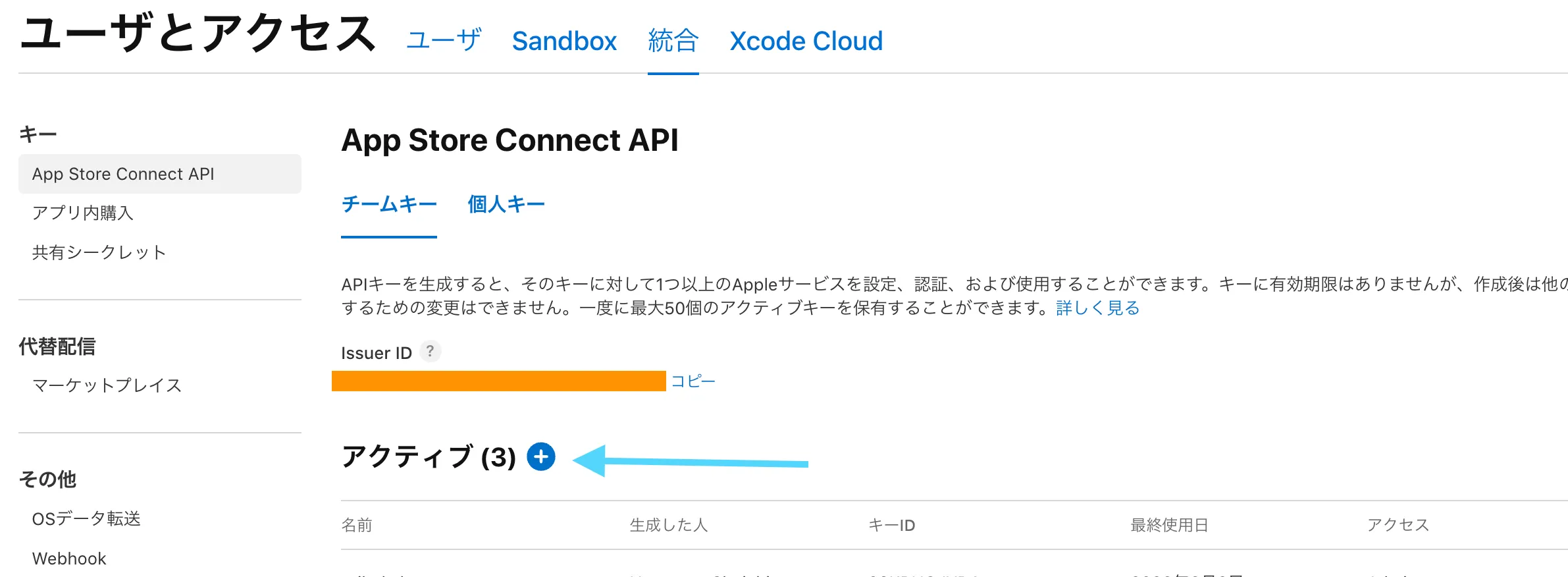
| Secret | APP_STORE_CONNECT_API_KEY_* | TestFlightアップロード用 |
| Variable | APP_IDENTIFIER | Bundle ID |
| Variable | SCHEME_NAME | Xcodeスキーム名 |
| Variable | MATCH_TYPE | 通常は appstore |
MATCH_GIT_BASIC_AUTHORIZATION はだいたいこんな感じです。
echo -n "your-github-username:ghp_xxxxxxxxxxxx" | base64CLIでまとめて入れる例もあります。
gh secret set MATCH_GIT_URL --body "https://github.com/your-org/ios-certificates.git"
gh secret set MATCH_PASSWORD --body "your-match-password"
gh secret set MATCH_GIT_BASIC_AUTHORIZATION --body "$(echo -n 'username:ghp_xxx' | base64)"
ワークフローの構成
ポイントは macos-latest 上で build と upload を別ジョブに分けているところでした。
テンプレで実際に使っているのがこちらです(ios-fastlane-match-build.yml)。
name: iOS Fastlane Match Build

on:
  push:
    tags:
      - ios-v*
  workflow_dispatch:
    inputs:
      lane:
        description: Fastlane lane to run
        required: true
        default: beta
        type: choice
        options:
          - build
          - upload
          - beta
      artifact_run_id:
        description: Previous workflow run ID (required for upload-only; find it in the Actions run URL)
        required: false
        type: string

concurrency:
  group: ios-fastlane-${{ github.ref }}
  cancel-in-progress: true

jobs:
  build:
    name: Build .ipa
    if: github.event_name == 'push' || inputs.lane == 'build' || inputs.lane == 'beta'
    runs-on: macos-latest
    timeout-minutes: 90
    env:
      APP_IDENTIFIER: ${{ vars.APP_IDENTIFIER || 'com.testkun08080.template-expo-build' }}
      APPLE_ID: ${{ secrets.APPLE_ID }}
      APPLE_TEAM_ID: ${{ secrets.APPLE_TEAM_ID }}
      MATCH_GIT_URL: ${{ secrets.MATCH_GIT_URL }}
      MATCH_PASSWORD: ${{ secrets.MATCH_PASSWORD }}
      MATCH_TYPE: ${{ vars.MATCH_TYPE || 'appstore' }}
      APP_STORE_CONNECT_API_KEY_ID: ${{ secrets.APP_STORE_CONNECT_API_KEY_ID }}
      APP_STORE_CONNECT_API_KEY_ISSUER_ID: ${{ secrets.APP_STORE_CONNECT_API_KEY_ISSUER_ID }}
      APP_STORE_CONNECT_API_KEY_P8: ${{ secrets.APP_STORE_CONNECT_API_KEY_P8 }}
      SCHEME_NAME: ${{ vars.SCHEME_NAME || 'templateexpobuild' }}
      BUILD_NUMBER: ${{ github.run_number }}
    steps:
      - name: Checkout
        uses: actions/checkout@v4

      - name: Setup Node.js
        uses: actions/setup-node@v4
        with:
          node-version: 20
          cache: npm

      - name: Install npm dependencies
        run: npm ci

      - name: Setup Ruby
        uses: ruby/setup-ruby@v1
        with:
          ruby-version: "3.3"
          bundler-cache: true
          working-directory: fastlane

      - name: Validate build configuration
        run: |
          set -euo pipefail
          missing=0
          for name in MATCH_GIT_URL MATCH_PASSWORD MATCH_GIT_BASIC_AUTHORIZATION APPLE_TEAM_ID; do
            if [ -z "${!name:-}" ]; then
              echo "::error::Missing secret: $name"
              missing=1
            fi
          done
          if [ "$missing" -ne 0 ]; then
            exit 1
          fi
        env:
          MATCH_GIT_BASIC_AUTHORIZATION: ${{ secrets.MATCH_GIT_BASIC_AUTHORIZATION }}

      - name: Configure match HTTPS auth
        run: echo "MATCH_GIT_BASIC_AUTHORIZATION=${{ secrets.MATCH_GIT_BASIC_AUTHORIZATION }}" >> "$GITHUB_ENV"

      - name: Run fastlane build
        working-directory: fastlane
        run: bundle exec fastlane ios build

      - name: Upload IPA artifact
        uses: actions/upload-artifact@v4
        with:
          name: ios-ipa
          path: build/${{ env.SCHEME_NAME }}.ipa
          if-no-files-found: error
          retention-days: 14

  upload:
    name: Upload to TestFlight
    needs: [build]
    if: |
      always() &&
      !cancelled() &&
      (github.event_name == 'push' || inputs.lane == 'upload' || inputs.lane == 'beta') &&
      (needs.build.result == 'success' || inputs.lane == 'upload')
    runs-on: macos-latest
    timeout-minutes: 30
    env:
      APP_IDENTIFIER: ${{ vars.APP_IDENTIFIER || 'com.testkun08080.template-expo-build' }}
      APP_STORE_CONNECT_API_KEY_ID: ${{ secrets.APP_STORE_CONNECT_API_KEY_ID }}
      APP_STORE_CONNECT_API_KEY_ISSUER_ID: ${{ secrets.APP_STORE_CONNECT_API_KEY_ISSUER_ID }}
      APP_STORE_CONNECT_API_KEY_P8: ${{ secrets.APP_STORE_CONNECT_API_KEY_P8 }}
      SCHEME_NAME: ${{ vars.SCHEME_NAME || 'templateexpobuild' }}
      IPA_PATH: ${{ github.workspace }}/build/${{ vars.SCHEME_NAME || 'templateexpobuild' }}.ipa
    steps:
      - name: Checkout
        uses: actions/checkout@v4

      - name: Setup Ruby
        uses: ruby/setup-ruby@v1
        with:
          ruby-version: "3.3"
          bundler-cache: true
          working-directory: fastlane

      - name: Validate upload configuration
        run: |
          set -euo pipefail
          if [ "${{ inputs.lane }}" = "upload" ] && [ -z "${{ inputs.artifact_run_id }}" ] && [ "${{ needs.build.result }}" != "success" ]; then
            echo "::error::upload-only requires artifact_run_id from a previous build workflow run"
            exit 1
          fi
          missing=0
          for name in APP_STORE_CONNECT_API_KEY_ID APP_STORE_CONNECT_API_KEY_ISSUER_ID APP_STORE_CONNECT_API_KEY_P8; do
            if [ -z "${!name:-}" ]; then
              echo "::error::Missing secret: $name"
              missing=1
            fi
          done
          if [ "$missing" -ne 0 ]; then
            exit 1
          fi

      - name: Download IPA from this workflow
        if: needs.build.result == 'success'
        uses: actions/download-artifact@v4
        with:
          name: ios-ipa
          path: build

      - name: Download IPA from previous workflow run
        if: inputs.lane == 'upload' && inputs.artifact_run_id != ''
        uses: actions/download-artifact@v4
        with:
          name: ios-ipa
          path: build
          github-token: ${{ secrets.GITHUB_TOKEN }}
          run-id: ${{ inputs.artifact_run_id }}

      - name: Run fastlane upload
        working-directory: fastlane
run: bundle exec fastlane ios upload| 実行方法 | 動き |
|---|---|
ios-v* タグをpush | build → upload |
手動 lane: build | .ipa をArtifactsに保存 |
手動 lane: upload | 過去RunのArtifactから提出(artifact_run_id が必要) |
手動 lane: beta | ビルド + TestFlight |
自動実行するときはこうしています。
git tag ios-v1.0.0
git push origin ios-v1.0.0
BUILD_NUMBER=${{ github.run_number }} が入っているので、同じ version でもRunごとにビルド番号がユニークになり、再アップロードしやすいです。
buildレーンの流れ
ざっくりこの順です。
expo prebuildpod install- ビルド番号の更新
setup_ci(一時keychain)match(readonly)update_code_signing_settingsgymで.ipa生成
expo prebuild で ios/*.xcodeproj ができたあと、gym でxcodebuildします。
prebuild直後は自動署名寄りなので、match のあと update_code_signing_settings でDistribution用に寄せます。
CIでは setup_ci が一時keychainを作ります。
ヘッドレスのまま login.keychain に入れると、codesignがUI待ちでハングしやすいからです。
代替: EAS Cloud + EXPO_TOKEN
fastlaneを使用することでeasののビルドをGHA上で可能になりましたが、少々面倒です。
もっと簡単にしたい場合は、GHAでEAS Cloudへジョブを投げるだけのワークフローにするのがいいかなと思います。
| fastlane + GHA | EAS Cloud + GHA | |
|---|---|---|
| 必要なSecret | 7個以上 | EXPO_TOKEN のみ |
| 署名管理 | match + 証明書リポジトリ | EASリモートcredentials |
ローカルで一度 EAS Cloudビルドが通っている前提でGHAに載せると安心です。
Secretの設定
| Secret名 | 値 |
|---|---|
EXPO_TOKEN | Expoアカウントのアクセストークン |
取得は expo.dev → Account Settings → Access tokens です。
gh secret set EXPO_TOKEN --body "your-expo-token"Apple関連のSecretやmatch用リポジトリは不要です。
署名と提出はEAS側のcredentialsと eas.json の submit.production(ascAppId など)に任せます。
ワークフロー
テンプレで実際に使っている eas-build.yml です。
手動実行時に platform / profile / submit を選べます。
name: EAS Build

on:
  # push:
  #   branches:
  #     - main
  workflow_dispatch:
    inputs:
      platform:
        description: Build platform
        required: true
        default: ios
        type: choice
        options:
          - ios
          - android
          - all
      profile:
        description: EAS build profile
        required: true
        default: production
        type: string
      submit:
        description: Submit to TestFlight / Play Store after build
        required: false
        default: false
        type: boolean

jobs:
  build:
    name: EAS Build (${{ inputs.platform || 'ios' }})
    runs-on: ubuntu-latest
    steps:
      - name: Checkout
        uses: actions/checkout@v4

      - name: Setup Node.js
        uses: actions/setup-node@v4
        with:
          node-version: 20
          cache: npm

      - name: Install dependencies
        run: npm ci

      - name: Setup EAS
        uses: expo/expo-github-action@v8
        with:
          eas-version: latest
          token: ${{ secrets.EXPO_TOKEN }}

      - name: Run EAS Build
        run: |
          npx eas-cli build \
            --profile "${{ inputs.profile || 'production' }}" \
            --platform "${{ inputs.platform || 'ios' }}" \
            --non-interactive \
            --no-wait

  submit:
    name: EAS Submit to TestFlight
    needs: build
    if: ${{ github.event_name == 'workflow_dispatch' && inputs.submit == true }}
    runs-on: ubuntu-latest
    steps:
      - name: Checkout
        uses: actions/checkout@v4

      - name: Setup Node.js
        uses: actions/setup-node@v4
        with:
          node-version: 20
          cache: npm

      - name: Install dependencies
        run: npm ci

      - name: Setup EAS
        uses: expo/expo-github-action@v8
        with:
          eas-version: latest
          token: ${{ secrets.EXPO_TOKEN }}

      - name: Submit latest iOS build
        if: ${{ inputs.platform == 'ios' || inputs.platform == 'all' }}
        run: npx eas-cli submit --platform ios --latest --profile production --non-interactive

      - name: Submit latest Android build
        if: ${{ inputs.platform == 'android' || inputs.platform == 'all' }}
        run: npx eas-cli submit --platform android --latest --profile production --non-interactive
runs-on: ubuntu-latest— iOSビルド本体はEASクラウド側expo/expo-github-action@v8— EAS CLIのインストールと認証をまとめて処理--no-wait— ビルド待ちでジョブを長くブロックしないsubmit: true— ビルド後にTestFlight / Play Storeへ提出
Actionsタブから EAS Build → Run workflow で試せます。
まとめ
- fastlane match + GHA はmacOSランナーと複数Secretsが要る一方、レーン分割やArtifact再提出が分かりやすい
- EAS Cloud + GHA ならubuntuと
EXPO_TOKENだけでTestFlightまで寄せられる - どちらも template-expo-build-cicd に入れてあるので、用途に合わせて選びやすい
シリーズ記事
この記事はExpo iOSビルド・配布シリーズの最終回です。
- Expo × EAS Local で Mac 上ビルドして TestFlight に上げる — ローカルIPA生成
- Expo × EAS Cloud でローカルから TestFlight に上げる — クラウドビルドと初回署名セットアップ
- Expo × Xcode Cloud で TestFlight に上げる — AppleのCIで配布
- Expo × GitHub Actions で TestFlight 自動デプロイ(fastlane / EAS) — GHAで自動化(本記事)
関連リンク
- template-expo-build-cicd(サンプルリポジトリ)
- docs/05: Fastlane Match on GHA
- docs/04: EAS Cloud on GHA
- expo-github-action
- EAS Build with GitHub Actions(Expo公式)
- 前の記事: Xcode Cloudビルド