Through the previous posts I tried Local, EAS Cloud, and Xcode Cloud.
Last step: put the same flow on GitHub Actions.
I’d already used fastlane match for Flutter, so I ran that path on GHA through to TestFlight, wrapped it in template-expo-build-cicd, and wrote up the sticky bits here.
Sample repository
git clone https://github.com/testkun08080/template-expo-build-cicd.gitTwo workflows in this post:
| Path | Workflow |
|---|---|
| fastlane match | .github/workflows/ios-fastlane-match-build.yml |
| EAS Cloud | .github/workflows/eas-build.yml |
Certificate-repo setup and the longer how-tos live in the template’s docs/05 / docs/04.
Here I only cover what tends to snag when you actually run them on GHA.
fastlane match on GHA
match prerequisites
fastlane match stores certificates and provisioning profiles in a separate private Git repo, encrypted.
Keep that repo separate from the app source.
The template already has fastlane/Matchfile, so you usually don’t need fastlane match init.
Creating certs the first time (match appstore) is interactive — do that on an admin Mac.
CI should only pull existing certs with --readonly.
| Goal | Example command |
|---|---|
| First-time certs (admin) | bundle exec fastlane match appstore |
| Sync only | bundle exec fastlane match appstore --readonly |
| Build | bundle exec fastlane ios build |
| Build + TestFlight | bundle exec fastlane ios beta |
Secrets / Variables
Set these under the app repo’s Settings → Secrets and variables → Actions.
| Kind | Name | Purpose |
|---|---|---|
| Secret | MATCH_GIT_URL | HTTPS URL of the certificates repo |
| Secret | MATCH_PASSWORD | match encryption password |
| Secret | MATCH_GIT_BASIC_AUTHORIZATION | base64 of username:PAT for that repo |
| Secret | APPLE_ID / APPLE_TEAM_ID | Apple developer account |
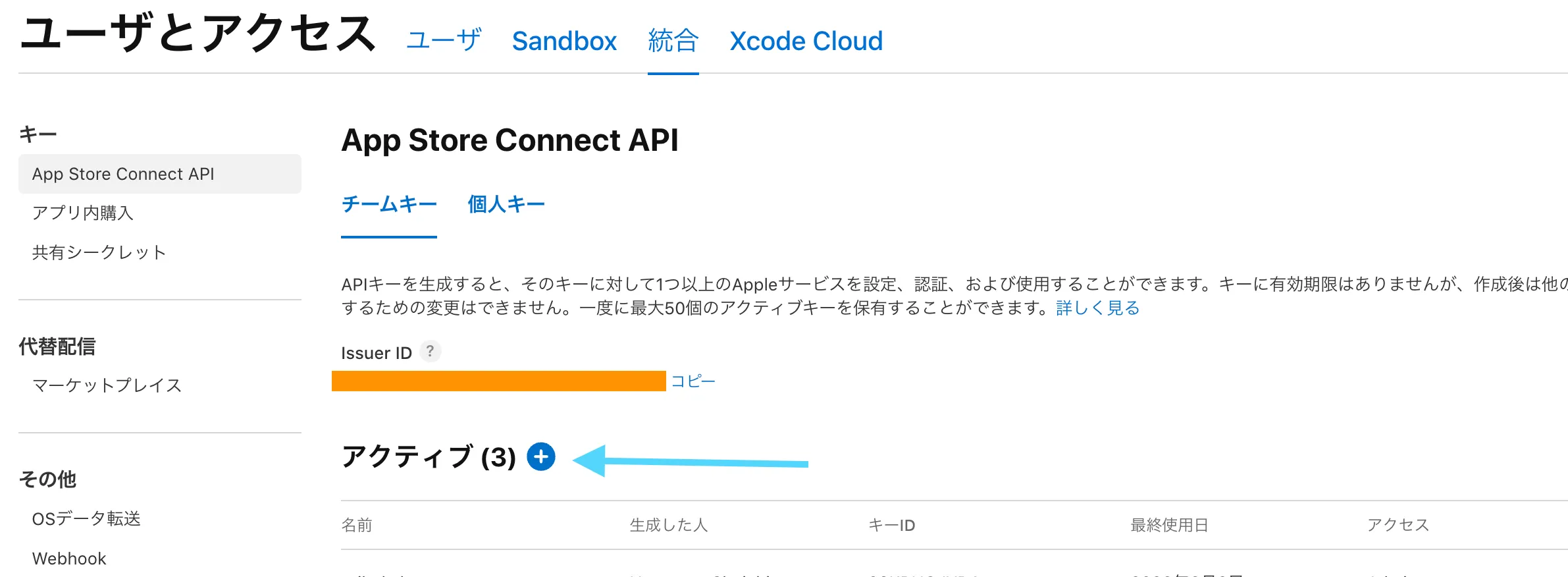
| Secret | APP_STORE_CONNECT_API_KEY_* | TestFlight upload |
| Variable | APP_IDENTIFIER | Bundle ID |
| Variable | SCHEME_NAME | Xcode scheme name |
| Variable | MATCH_TYPE | usually appstore |
MATCH_GIT_BASIC_AUTHORIZATION looks like this:
echo -n "your-github-username:ghp_xxxxxxxxxxxx" | base64Or set them in one go from the CLI:
gh secret set MATCH_GIT_URL --body "https://github.com/your-org/ios-certificates.git"
gh secret set MATCH_PASSWORD --body "your-match-password"
gh secret set MATCH_GIT_BASIC_AUTHORIZATION --body "$(echo -n 'username:ghp_xxx' | base64)"
Workflow shape
The useful trick for me was splitting build and upload into separate jobs on macos-latest.
What the template runs (ios-fastlane-match-build.yml):
name: iOS Fastlane Match Build

on:
  push:
    tags:
      - ios-v*
  workflow_dispatch:
    inputs:
      lane:
        description: Fastlane lane to run
        required: true
        default: beta
        type: choice
        options:
          - build
          - upload
          - beta
      artifact_run_id:
        description: Previous workflow run ID (required for upload-only; find it in the Actions run URL)
        required: false
        type: string

concurrency:
  group: ios-fastlane-${{ github.ref }}
  cancel-in-progress: true

jobs:
  build:
    name: Build .ipa
    if: github.event_name == 'push' || inputs.lane == 'build' || inputs.lane == 'beta'
    runs-on: macos-latest
    timeout-minutes: 90
    env:
      APP_IDENTIFIER: ${{ vars.APP_IDENTIFIER || 'com.testkun08080.template-expo-build' }}
      APPLE_ID: ${{ secrets.APPLE_ID }}
      APPLE_TEAM_ID: ${{ secrets.APPLE_TEAM_ID }}
      MATCH_GIT_URL: ${{ secrets.MATCH_GIT_URL }}
      MATCH_PASSWORD: ${{ secrets.MATCH_PASSWORD }}
      MATCH_TYPE: ${{ vars.MATCH_TYPE || 'appstore' }}
      APP_STORE_CONNECT_API_KEY_ID: ${{ secrets.APP_STORE_CONNECT_API_KEY_ID }}
      APP_STORE_CONNECT_API_KEY_ISSUER_ID: ${{ secrets.APP_STORE_CONNECT_API_KEY_ISSUER_ID }}
      APP_STORE_CONNECT_API_KEY_P8: ${{ secrets.APP_STORE_CONNECT_API_KEY_P8 }}
      SCHEME_NAME: ${{ vars.SCHEME_NAME || 'templateexpobuild' }}
      BUILD_NUMBER: ${{ github.run_number }}
    steps:
      - name: Checkout
        uses: actions/checkout@v4

      - name: Setup Node.js
        uses: actions/setup-node@v4
        with:
          node-version: 20
          cache: npm

      - name: Install npm dependencies
        run: npm ci

      - name: Setup Ruby
        uses: ruby/setup-ruby@v1
        with:
          ruby-version: "3.3"
          bundler-cache: true
          working-directory: fastlane

      - name: Validate build configuration
        run: |
          set -euo pipefail
          missing=0
          for name in MATCH_GIT_URL MATCH_PASSWORD MATCH_GIT_BASIC_AUTHORIZATION APPLE_TEAM_ID; do
            if [ -z "${!name:-}" ]; then
              echo "::error::Missing secret: $name"
              missing=1
            fi
          done
          if [ "$missing" -ne 0 ]; then
            exit 1
          fi
        env:
          MATCH_GIT_BASIC_AUTHORIZATION: ${{ secrets.MATCH_GIT_BASIC_AUTHORIZATION }}

      - name: Configure match HTTPS auth
        run: echo "MATCH_GIT_BASIC_AUTHORIZATION=${{ secrets.MATCH_GIT_BASIC_AUTHORIZATION }}" >> "$GITHUB_ENV"

      - name: Run fastlane build
        working-directory: fastlane
        run: bundle exec fastlane ios build

      - name: Upload IPA artifact
        uses: actions/upload-artifact@v4
        with:
          name: ios-ipa
          path: build/${{ env.SCHEME_NAME }}.ipa
          if-no-files-found: error
          retention-days: 14

  upload:
    name: Upload to TestFlight
    needs: [build]
    if: |
      always() &&
      !cancelled() &&
      (github.event_name == 'push' || inputs.lane == 'upload' || inputs.lane == 'beta') &&
      (needs.build.result == 'success' || inputs.lane == 'upload')
    runs-on: macos-latest
    timeout-minutes: 30
    env:
      APP_IDENTIFIER: ${{ vars.APP_IDENTIFIER || 'com.testkun08080.template-expo-build' }}
      APP_STORE_CONNECT_API_KEY_ID: ${{ secrets.APP_STORE_CONNECT_API_KEY_ID }}
      APP_STORE_CONNECT_API_KEY_ISSUER_ID: ${{ secrets.APP_STORE_CONNECT_API_KEY_ISSUER_ID }}
      APP_STORE_CONNECT_API_KEY_P8: ${{ secrets.APP_STORE_CONNECT_API_KEY_P8 }}
      SCHEME_NAME: ${{ vars.SCHEME_NAME || 'templateexpobuild' }}
      IPA_PATH: ${{ github.workspace }}/build/${{ vars.SCHEME_NAME || 'templateexpobuild' }}.ipa
    steps:
      - name: Checkout
        uses: actions/checkout@v4

      - name: Setup Ruby
        uses: ruby/setup-ruby@v1
        with:
          ruby-version: "3.3"
          bundler-cache: true
          working-directory: fastlane

      - name: Validate upload configuration
        run: |
          set -euo pipefail
          if [ "${{ inputs.lane }}" = "upload" ] && [ -z "${{ inputs.artifact_run_id }}" ] && [ "${{ needs.build.result }}" != "success" ]; then
            echo "::error::upload-only requires artifact_run_id from a previous build workflow run"
            exit 1
          fi
          missing=0
          for name in APP_STORE_CONNECT_API_KEY_ID APP_STORE_CONNECT_API_KEY_ISSUER_ID APP_STORE_CONNECT_API_KEY_P8; do
            if [ -z "${!name:-}" ]; then
              echo "::error::Missing secret: $name"
              missing=1
            fi
          done
          if [ "$missing" -ne 0 ]; then
            exit 1
          fi

      - name: Download IPA from this workflow
        if: needs.build.result == 'success'
        uses: actions/download-artifact@v4
        with:
          name: ios-ipa
          path: build

      - name: Download IPA from previous workflow run
        if: inputs.lane == 'upload' && inputs.artifact_run_id != ''
        uses: actions/download-artifact@v4
        with:
          name: ios-ipa
          path: build
          github-token: ${{ secrets.GITHUB_TOKEN }}
          run-id: ${{ inputs.artifact_run_id }}

      - name: Run fastlane upload
        working-directory: fastlane
run: bundle exec fastlane ios upload| How you run it | What happens |
|---|---|
Push an ios-v* tag | build → upload |
Manual lane: build | Save .ipa as an Artifact |
Manual lane: upload | Submit from a previous run’s Artifact (artifact_run_id required) |
Manual lane: beta | Build + TestFlight |
For automatic runs I do:
git tag ios-v1.0.0
git push origin ios-v1.0.0
BUILD_NUMBER=${{ github.run_number }} keeps build numbers unique across runs even with the same marketing version, which makes re-uploads easier.
What the build lane does
Rough order:
expo prebuildpod install- Bump build number
setup_ci(temporary keychain)match(readonly)update_code_signing_settingsgym→.ipa
After expo prebuild creates ios/*.xcodeproj, gym runs xcodebuild.
Fresh prebuild leans automatic signing, so after match we push signing toward Distribution with update_code_signing_settings.
On CI, setup_ci creates a temporary keychain.
Installing into login.keychain headless often hangs codesign waiting for UI.
Alternative: EAS Cloud + EXPO_TOKEN
fastlane on GHA gets you an IPA on the runner, but it’s a lot of secrets.
If you want the simpler path, just kick an EAS Cloud job from GHA.
| fastlane + GHA | EAS Cloud + GHA | |
|---|---|---|
| Secrets needed | 7+ | EXPO_TOKEN only |
| Signing | match + certs repo | EAS remote credentials |
I’d get one local EAS Cloud build working before hanging it off GHA.
Secret setup
| Secret | Value |
|---|---|
EXPO_TOKEN | Access token for your Expo account |
Create it at expo.dev → Account Settings → Access tokens.
gh secret set EXPO_TOKEN --body "your-expo-token"No Apple secrets or match repo required.
Signing and submit stay on EAS credentials plus eas.json submit.production (ascAppId, etc.).
Workflow
What the template runs (eas-build.yml).
Manual runs can pick platform / profile / submit:
name: EAS Build

on:
  # push:
  #   branches:
  #     - main
  workflow_dispatch:
    inputs:
      platform:
        description: Build platform
        required: true
        default: ios
        type: choice
        options:
          - ios
          - android
          - all
      profile:
        description: EAS build profile
        required: true
        default: production
        type: string
      submit:
        description: Submit to TestFlight / Play Store after build
        required: false
        default: false
        type: boolean

jobs:
  build:
    name: EAS Build (${{ inputs.platform || 'ios' }})
    runs-on: ubuntu-latest
    steps:
      - name: Checkout
        uses: actions/checkout@v4

      - name: Setup Node.js
        uses: actions/setup-node@v4
        with:
          node-version: 20
          cache: npm

      - name: Install dependencies
        run: npm ci

      - name: Setup EAS
        uses: expo/expo-github-action@v8
        with:
          eas-version: latest
          token: ${{ secrets.EXPO_TOKEN }}

      - name: Run EAS Build
        run: |
          npx eas-cli build \
            --profile "${{ inputs.profile || 'production' }}" \
            --platform "${{ inputs.platform || 'ios' }}" \
            --non-interactive \
            --no-wait

  submit:
    name: EAS Submit to TestFlight
    needs: build
    if: ${{ github.event_name == 'workflow_dispatch' && inputs.submit == true }}
    runs-on: ubuntu-latest
    steps:
      - name: Checkout
        uses: actions/checkout@v4

      - name: Setup Node.js
        uses: actions/setup-node@v4
        with:
          node-version: 20
          cache: npm

      - name: Install dependencies
        run: npm ci

      - name: Setup EAS
        uses: expo/expo-github-action@v8
        with:
          eas-version: latest
          token: ${{ secrets.EXPO_TOKEN }}

      - name: Submit latest iOS build
        if: ${{ inputs.platform == 'ios' || inputs.platform == 'all' }}
        run: npx eas-cli submit --platform ios --latest --profile production --non-interactive

      - name: Submit latest Android build
        if: ${{ inputs.platform == 'android' || inputs.platform == 'all' }}
        run: npx eas-cli submit --platform android --latest --profile production --non-interactive
runs-on: ubuntu-latest— the actual iOS build runs on EAS Cloudexpo/expo-github-action@v8— installs EAS CLI and handles auth--no-wait— don’t block the job waiting for the full buildsubmit: true— after build, submit to TestFlight / Play Store
Try it from the Actions tab: EAS Build → Run workflow.
Wrap-up
- fastlane match + GHA needs macOS runners and many secrets, but lane splits and Artifact re-upload are clear
- EAS Cloud + GHA can reach TestFlight with ubuntu +
EXPO_TOKENalone - Both live in template-expo-build-cicd — pick what fits
Series
This is the last post in the Expo iOS build & distribute series.
- Expo EAS Local Build — IPA on Mac and TestFlight Submit — local IPA
- Expo EAS Cloud Build — Generate IPA and Submit to TestFlight — cloud build & first signing setup
- Expo on Xcode Cloud — ci_post_clone.sh and TestFlight — Apple CI
- Expo + GitHub Actions — TestFlight with fastlane match or EAS — automate on GHA (this post)
Related links
- template-expo-build-cicd (sample repo)
- docs/05: Fastlane Match on GHA
- docs/04: EAS Cloud on GHA
- expo-github-action
- EAS Build with GitHub Actions (Expo docs)
- Previous: Xcode Cloud build