Earlier in How a technical artist uses AI tools, I mentioned using Grok Tasks for daily research. It’s free enough to be useful, so here’s a closer look with screenshots.
What Grok Tasks does
You define a prompt once; Grok runs on a schedule and gathers + summarizes information for you.
- Choose daily / weekly / monthly (and more)
- Instructions are free-form — “summarize today’s news,” “go deep on X,” etc.
- Results arrive on a schedule so you don’t have to search manually
It makes catching up on news and niche topics much easier.
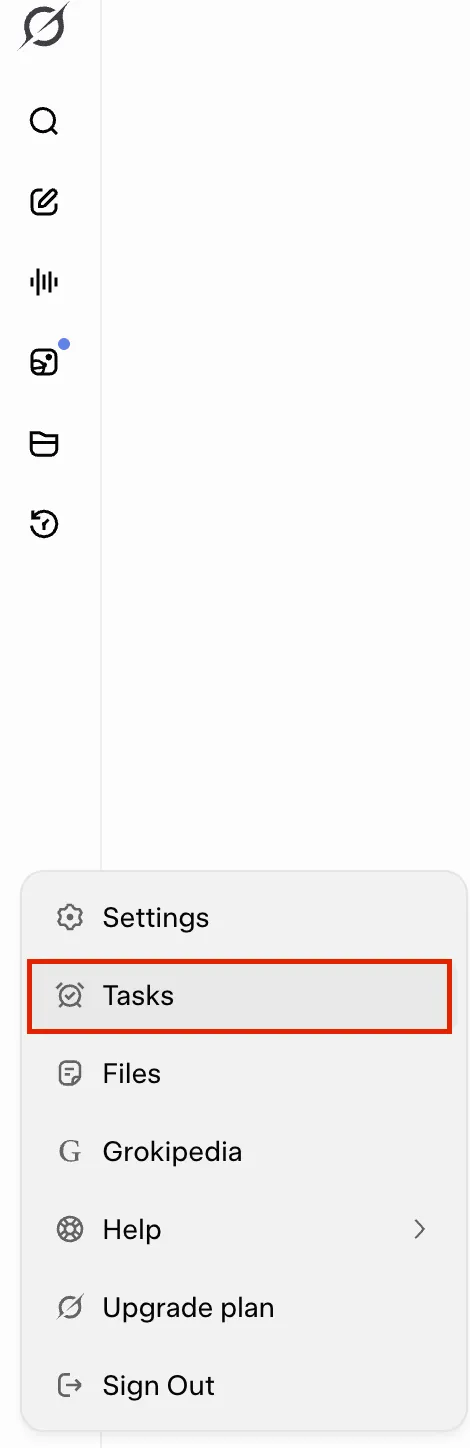
Opening Tasks
It’s easy to miss: open the side menu in Grok (where Settings, Files, etc. live) and you’ll find Tasks.
Creating a task (example: daily bathhouse / sauna news)
Example: “Every day, search for new sento, bath, and sauna openings in Japan and summarize them.”
- Name of task — give it a name
- Frequency — Once / Daily / Weekly / Monthly / Yearly (e.g. Daily)
- On → Time — e.g. 08:30 AM
- Instructions — what you want Grok to do
- Create Task
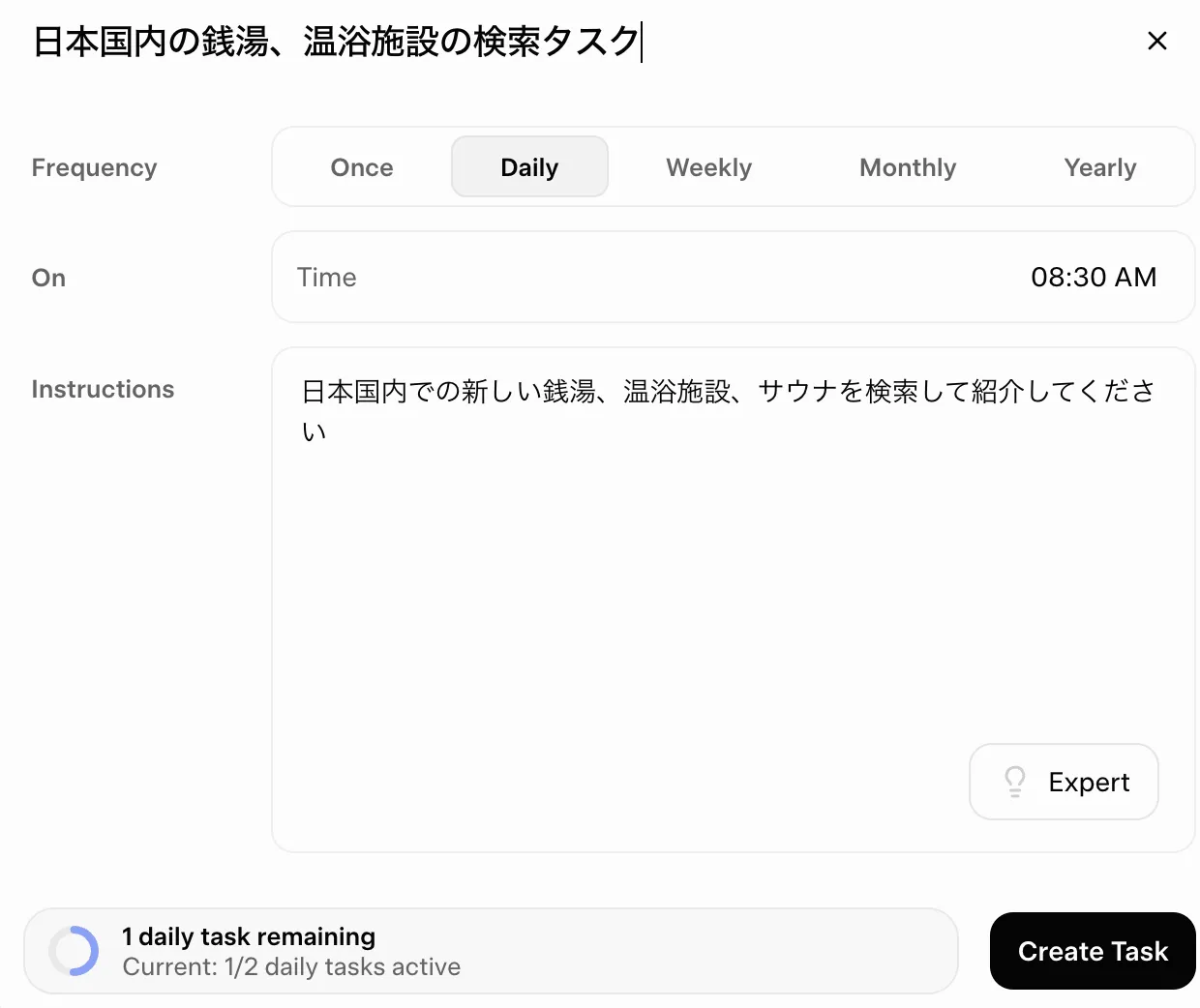
If you write something like “Search for new sento, spas, and saunas in Japan and introduce them,” Grok will run at that time and push results.
For general news, swap the prompt to “Summarize today’s tech / industry / regional news for ___” — same mechanism.
Impressions
- Easy to build a habit (results arrive at a fixed time)
- Free tier limits tasks per day (e.g. 2), but still worthwhile
- Skim on a commute instead of running manual searches
Worth trying at least once.
Official page: https://grok.com/tasks
That’s it.