Cursor is available in JetBrains IDEs, including IntelliJ IDEA, through Agent Client Protocol (ACP).
It was announced on the Cursor blog on March 4, 2026 (same day as JetBrains’ ACP Registry post).
When building apps across platforms, IntelliJ IDEA was still my favorite, but I couldn’t wire Cursor into it — so I kept both Cursor and IntelliJ open. With this integration, IntelliJ alone may be enough.
What you’ll learn
- Current prerequisites (official Cursor + JetBrains docs, checked 2026-07-19)
- How to set up Cursor ACP in IntelliJ (screenshot walkthrough from my install)
Prerequisites (official)
From Cursor’s JetBrains docs and JetBrains’ Cursor ACP announcement (both accessed 2026-07-19):
| Requirement | Source |
|---|---|
| Paid Cursor plan | Cursor docs; Cursor blog: “free for all users on paid plans” |
| JetBrains IDE 2025.3.2 or later with AI Assistant plugin enabled | JetBrains blog (Cursor-specific) |
| Cursor docs also list 2025.1+ with AI Assistant | Cursor docs — prefer 2025.3.2+ for Cursor from the ACP Registry |
| No JetBrains AI subscription required to use Cursor as an ACP agent | JetBrains blog |
Cursor ACP uses the same usage-based pricing as your Cursor subscription (docs).
Supported IDEs
Official Cursor copy names:
- IntelliJ IDEA
- PyCharm
- WebStorm
- Other JetBrains IDEs that support ACP
This post summarizes what I tried in IntelliJ only.
Setup (install and sign in)
Official flow (Cursor docs): open AI Chat → Add Agent from Registry → install Cursor → authenticate with your Cursor account.
JetBrains’ wording is equivalent: agent selector → Install from ACP Registry… → install Cursor.
My IntelliJ UI at the time used slightly different labels (Chat AI / Add ACP Agents). Screenshots below are from that install — expect small wording differences by build.
- Open IntelliJ IDEA.
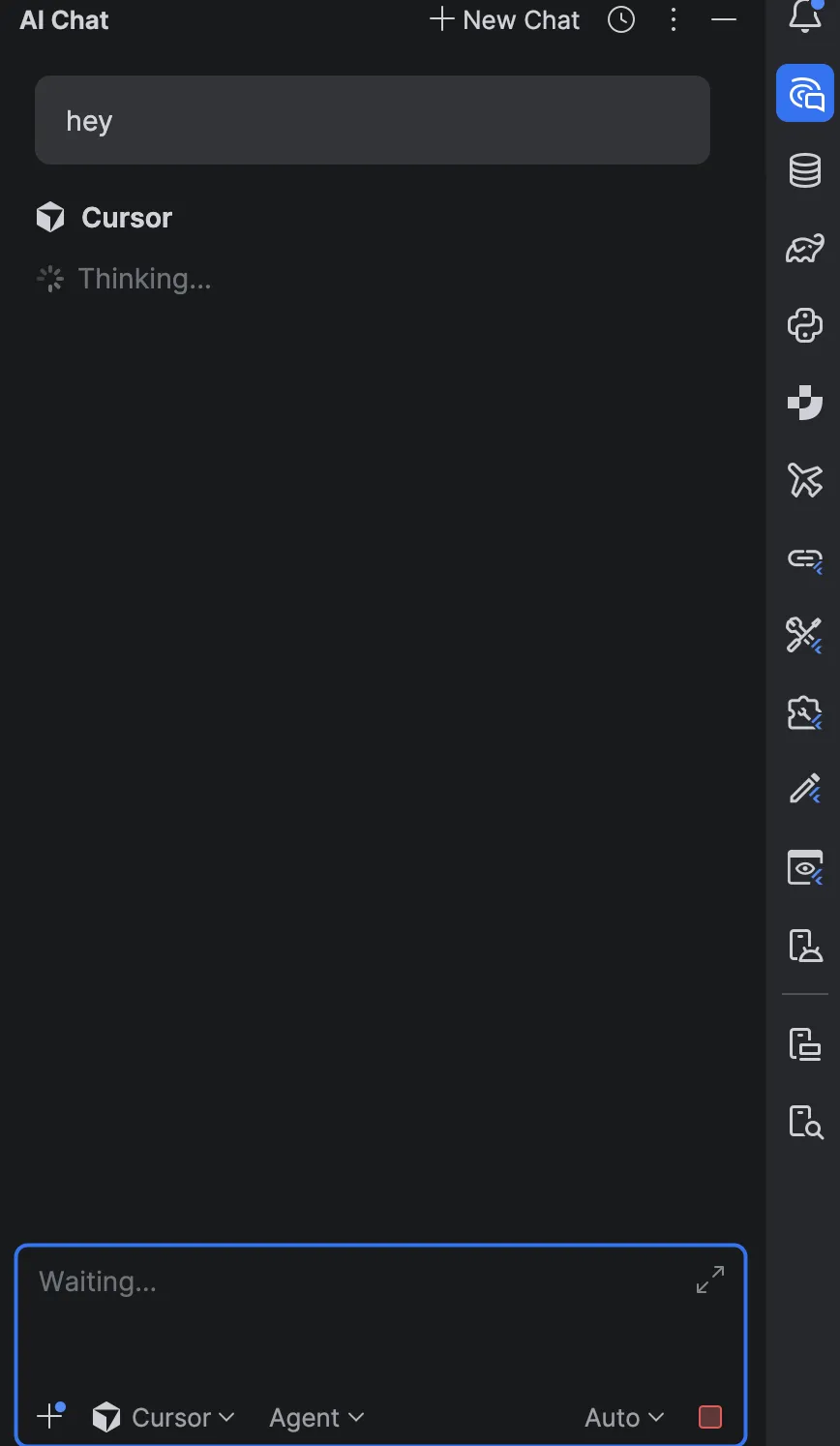
- Open the AI Chat panel, then add Cursor from the ACP registry.
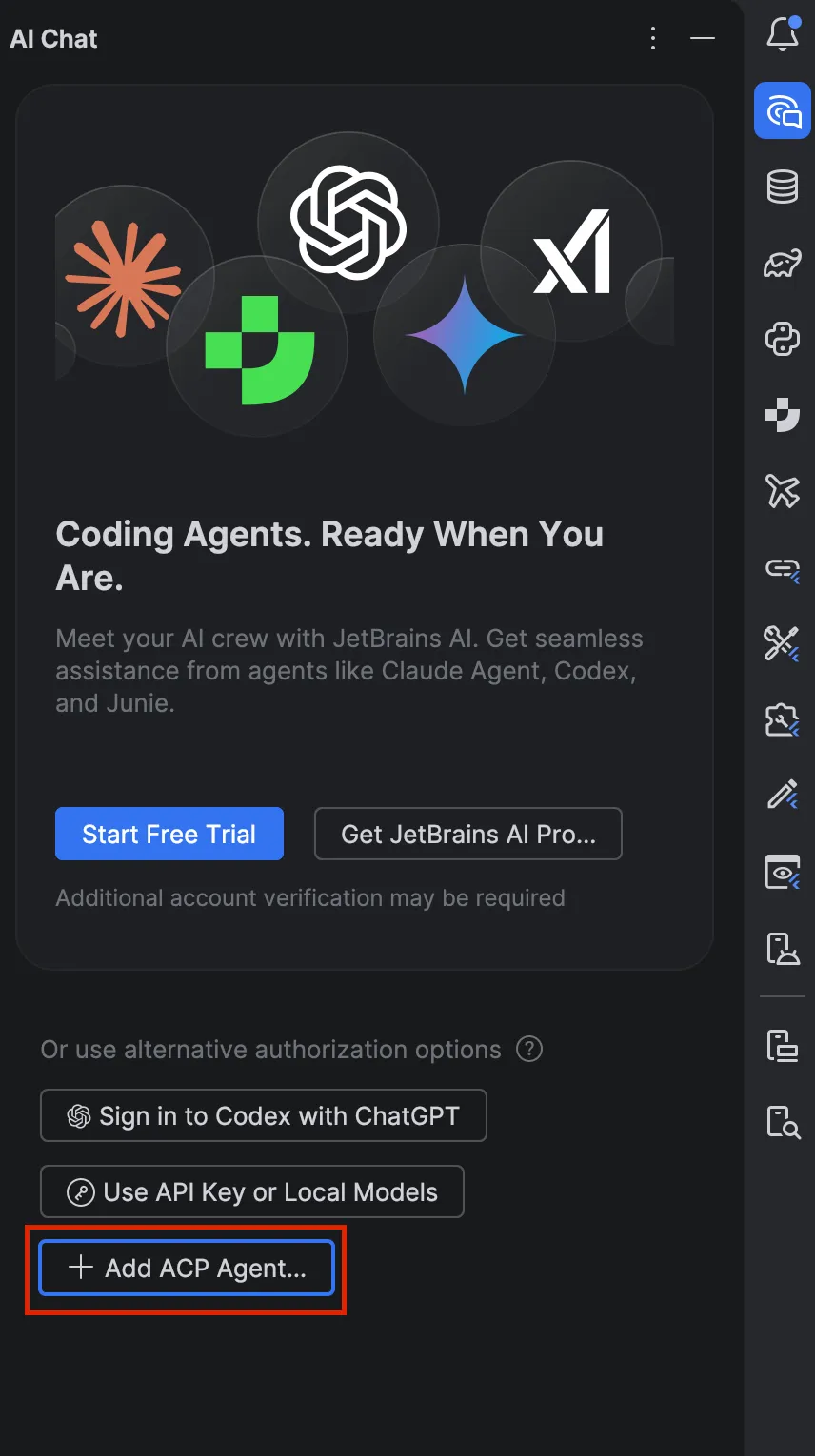
- Install Cursor ACP.
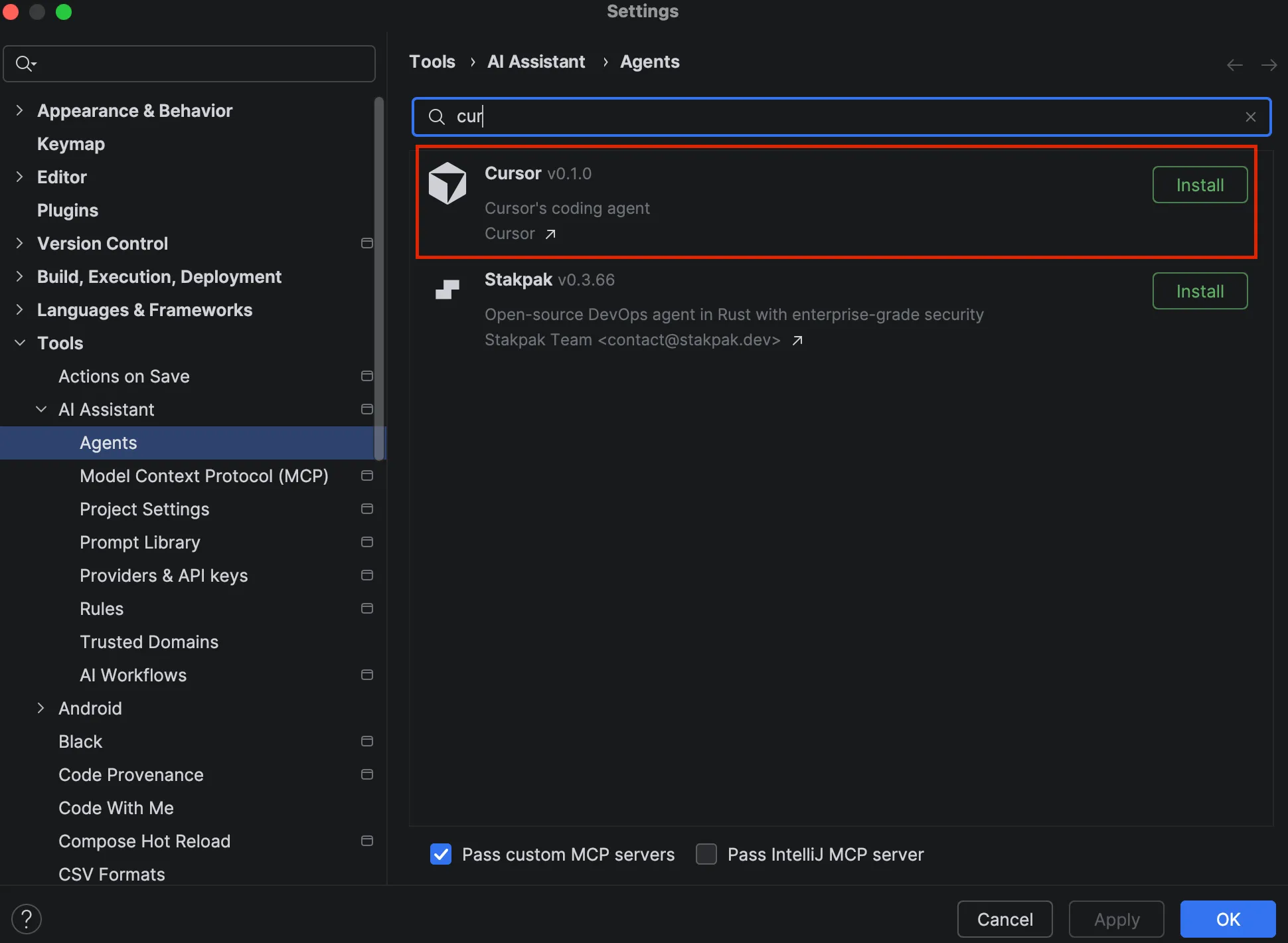
- After installation you should be able to chat as shown below (restart the IDE if it doesn’t work).
What tripped me up (author experience)
My IntelliJ was 2025.3.1 and it didn’t work until I updated.
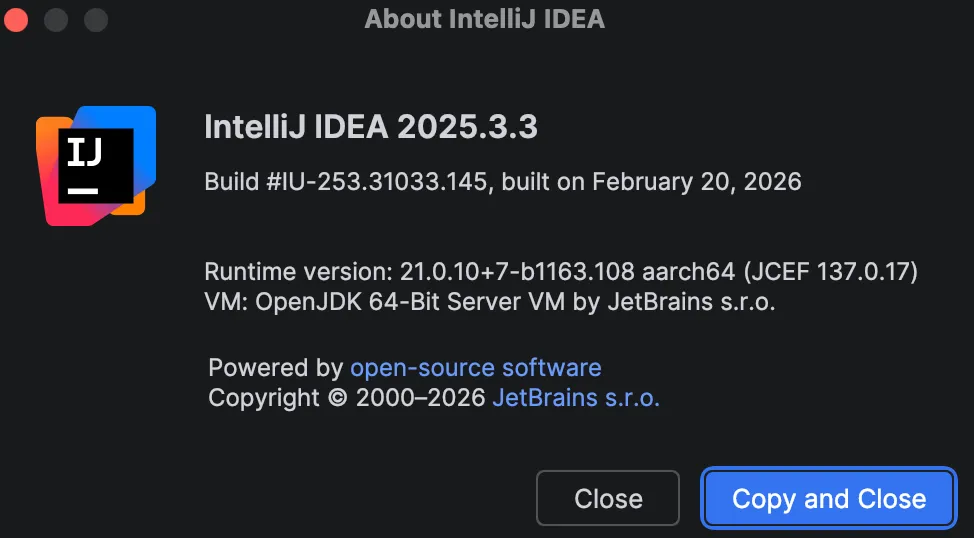
After updating to 2025.3.3, I could configure it from AI Chat without issues.
That matches JetBrains’ published 2025.3.2+ requirement for Cursor from the ACP Registry. If you are on 2025.3.1 or older, update before troubleshooting registry install failures.
Related posts
- How to Open Cursor Agents Window — Cursor 3 vs Editor
- Why I use both Cursor and Claude Code: a practical comparison
- Cursor iOS app review: running cloud agents from your phone
Links
- Cursor is available in JetBrains IDEs
- Cursor JetBrains integration (docs)
- JetBrains: Cursor joined the ACP Registry
- JetBrains ACP overview
Summary
If you use Cursor and JetBrains editors, this has been a long-requested integration. With a paid Cursor plan and a recent enough JetBrains IDE (2025.3.2+ per JetBrains), ACP should make for a smoother single-IDE workflow.
New to Cursor? Try Cursor (50% off for a limited time) (referral link).