“What’s vibe coding actually like? What can you ship?”
With almost no web background, I shipped three small public tools using vibe coding. This post is the consolidated project narrative — what each one is for, what was hard, and the numbers I already published (nothing invented for this rewrite).
Production conditions (what “beginner” meant here)
| Condition | Detail |
|---|---|
| Day job | Technical artist in games — pipeline generalist, some scripting (About) |
| Web / backend | Almost none before these projects |
| How I built | Mostly prompt → try → read docs/blogs → prompt again (Cursor / Claude-style tools) |
| Goal | Ship small, useful services — not a portfolio rewrite of every experiment |
Getting better still meant updating my own knowledge. “One-shot” prompts landed better once I had a little vocabulary and flow up front.
My loop:
- Learn more (AI + search, go deeper)
- Talk to the AI and refine prompts
- Ship and iterate
Project map
| # | Project | Public URL | Role in one line |
|---|---|---|---|
| 1 | Japan stock screener (yfinance) | yfinance-jp-screener-search.vercel.app | Screen Japanese names from CSV / yfinance-style data in the browser |
| 2 | Currency board image generator | currency-converter-board.com | Multi-API data → board image for video / content |
| 3 | Gradient Thumbnail Maker | gradient-thumbnail-maker… | Mesh gradient + text → PNG for note / blog heroes |
Project 1: Japan stock screener (yfinance)
Why
I reread Investment Strategy after a year and wanted to hunt for undervalued Japanese names. I also didn’t see many write-ups doing broad yfinance-style screening, so I tried it.
Links
- App: https://yfinance-jp-screener-search.vercel.app/
- Write-up: note (Japanese)
- Related: Zenn — Python yfinance
What shipped later (same product)
- CSV kept in the browser — load once, keep screening the same dataset without re-uploading every visit
- Search presets — save / apply filter sets you reuse
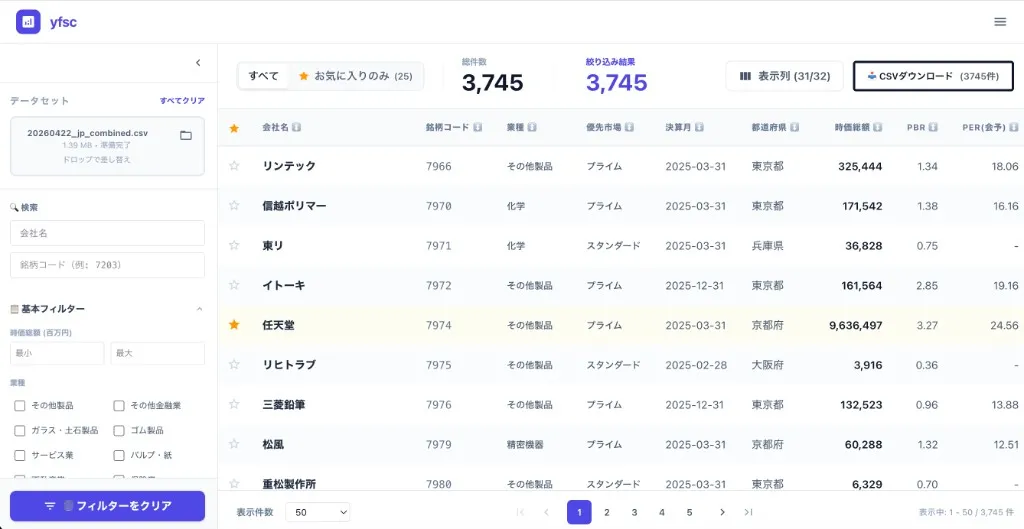
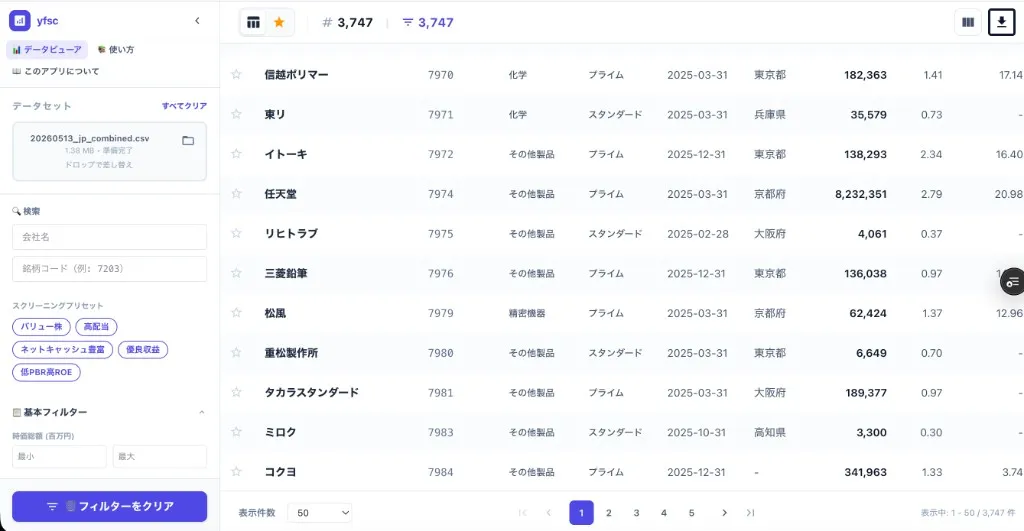
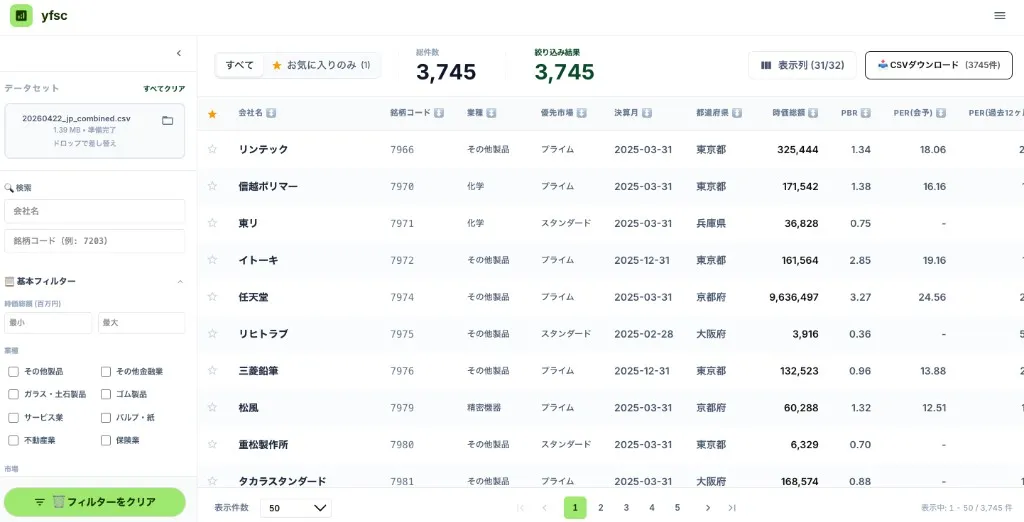
- Screener UX — readability, density, favorites tab, column toggles
Visually (before on top, after on bottom):
Design experiments I did not ship as the default UI
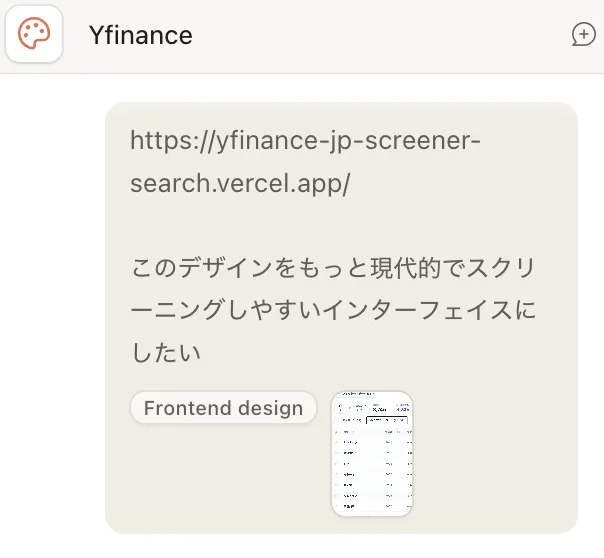
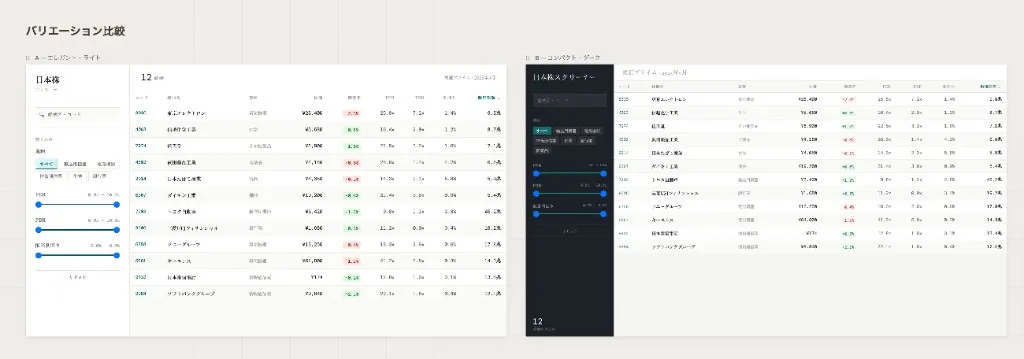
I asked Claude for a more modern screener look (prompt + variations below), then tried a Wise-style DESIGN.md from getdesign.md via Claude/Cursor. Both were useful as reference; neither became the lasting production skin. If I redesign for real, I’d probably start with Google Stitch.
Results already on the record
- Amazon Associates: linking Investment Strategy from Zenn / the project produced about ¥2,962 in commissions (screenshot below). Affiliate is not for everyone; I only want to recommend things I like.
- Traffic feel: one article spiked to ~8,000 views in a day and still saw about 10–20 visits/day afterward — enough to feel scale vs. revenue, not a growth guarantee.
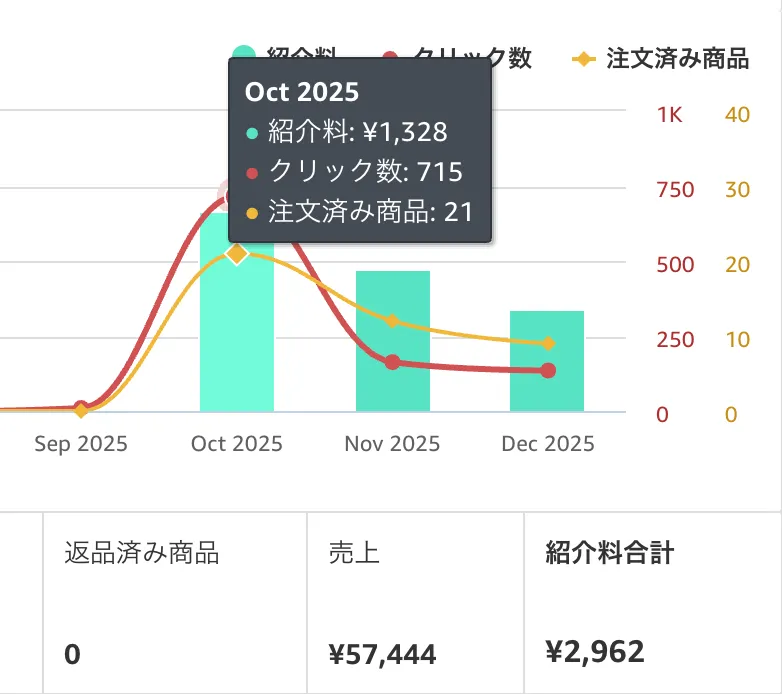
(If Zenn + affiliate felt off to you — sorry about that.)
What I learned: PER / ROE / dividend yield vocabulary while reading English docs; programming + investing terms in one pass.
Related note: GitHub Actions artifact storage quota (free plan)
Project 2: Currency board image generator
Why
When I dabbled in YouTube, I laid out country price boards in Illustrator for each video. “Combine multiple APIs, shape data, export an image” felt like something models still struggled with, so I built a Wise-API tool for myself.
URL: https://currency-converter-board.com/ja/
What I learned (and what stayed free)
- SPA → SSR for SEO — hydration / server–client mismatches took time; goal was SEO without breaking the UI.
- “SEO” today — crawler-friendly markup and structures LLMs can parse.
- Stripe — wired for a possible paid tier; sandbox was easier than expected. I didn’t finish every policy detail, so the product stayed free. (Stripe’s website still feels sluggish to me.)
No extra revenue figures here beyond what’s already in other posts.
Project 3: Gradient Thumbnail Maker
Why
For note thumbnails I used Photo Gradient for the gradient, then Photoshop for text — two steps. I wanted gradient + typography in one browser tool.
Links
- App: Gradient Thumbnail Maker
- Note: “Happy New Year” thumbnail maker (Japanese)
- Longer how-to on this blog: Gradient Thumbnail Maker (EN)
What I learned: abstract design prompts hit a wall; lots of references and mocks, then tighter prompts. It’s a personal tool, public for note / blog hero / OGP images.
Closing
Vibe coding lowered the bar to ship. Ideas and originality matter more than ever.
My sweet spot: fast mocks with vibe coding, then real time on security and UX for anything serious.
I’ll keep building silly-but-fun stuff alongside game work.
Have a good one.