Since I started writing in Markdown, I’ve wanted auto-generated “cats chatting” healing shorts — I call that md2cat in my head.
There wasn’t a perfect tool yet, but I remembered mulmocast-cli and tried Veo 3 end to end.
Short version:
Veo is expensive — hard to justify for casual use (lol)
Still, I got from setup to output working; here are the steps.
Setup
Clone
Cloning the repo helps for samples and internals.
git clone https://github.com/receptron/mulmocast-cli.gitInstall the CLI
Follow the project README for installation:

npm install -g mulmocast

# macOS with Homebrew
brew install ffmpeg

# Other platforms: https://ffmpeg.org/download.html
1) API keys
cd into the cloned repo. Configuration:
Create .env with at least:
OPENAI_API_KEY=your_openai_api_key
GEMINI_API_KEY=your_google_gemini_api_key
For this experiment those two were enough.
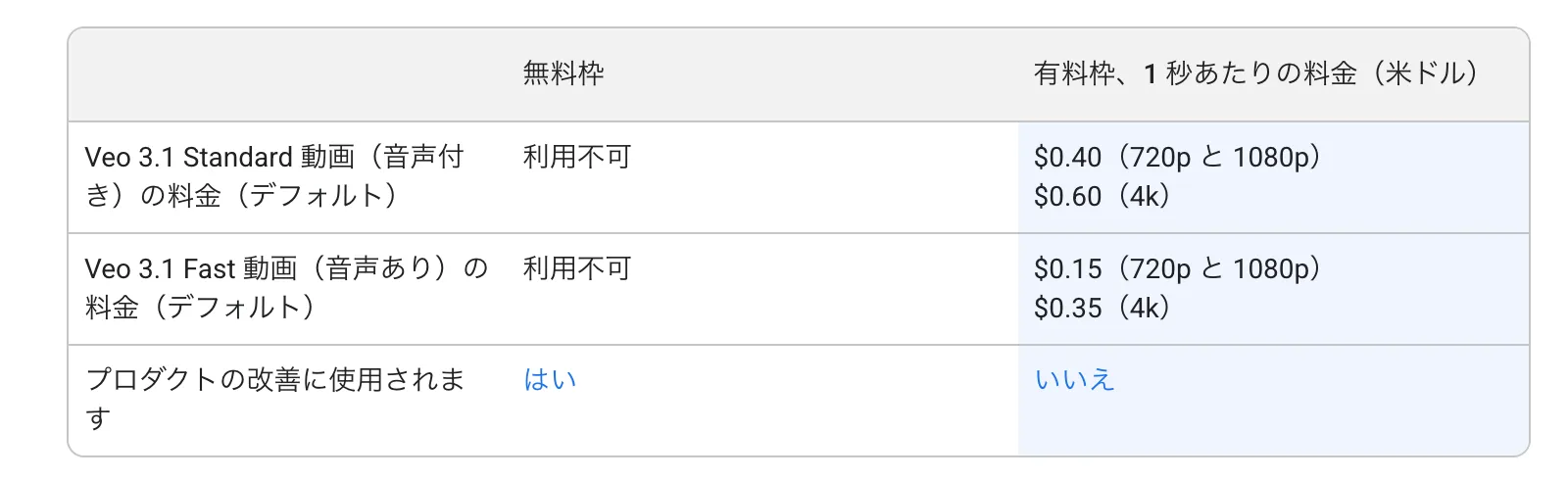
Note: I had to add a payment method to the Gemini / Google Cloud billing account or Veo wouldn’t run. Pricing on the official post is still steep — roughly ~$4 USD for ~10 seconds, so one run can burn on the order of ¥500 depending on FX.
Set billing limits. Seriously.
2) Script JSON
The script I ran:
Veo 3.1 errored for me; 3.0 worked.
Run (mulmo movie)
mulmo movie scripts/test/test_genai_movie.jsonOutput
Here’s what came back. (Sorry — the video output was choppy on my run.)
What did it cost?
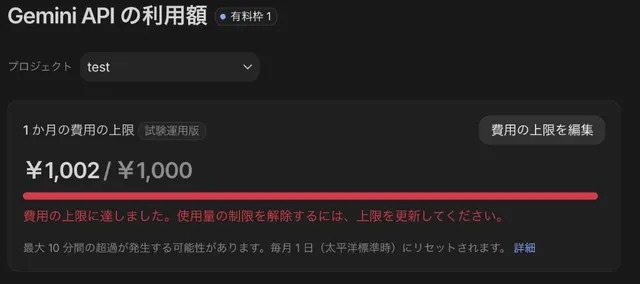
I blew through my test billing cap on Google almost immediately.
(Hit ¥1,002 on a ¥1,000 cap and got the “raise your limit” message.)
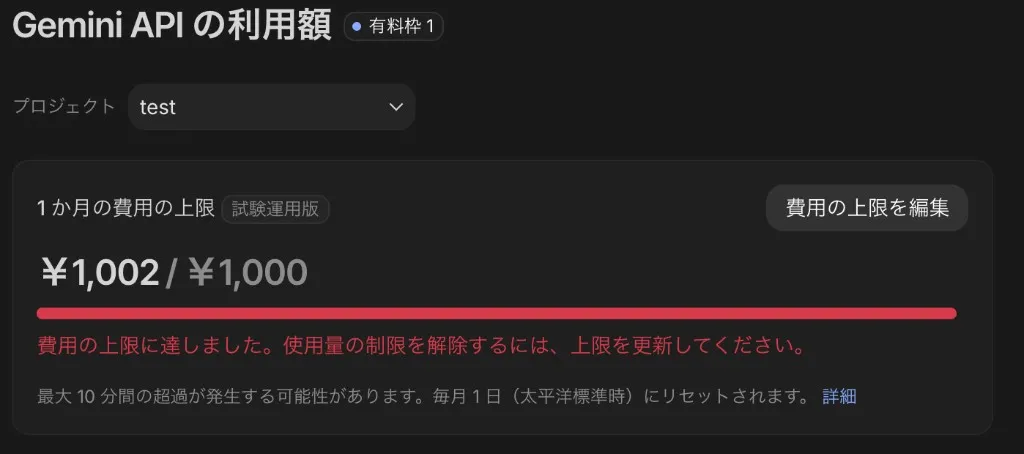
I’d accidentally run the command twice — ¥1,000 gone in seconds. Probably ¥500+ per invocation (I didn’t nail exact per-call math — sorry.)
Takeaways
- Don’t underestimate API pricing
- mulmocast-cli looks fun for the right workflows
Next step: actually get md2cat working and iterate with mulmocast.