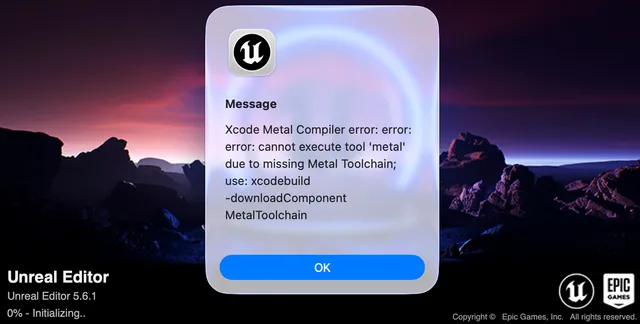
After a long break I tried to launch Unreal Engine 5.6.1 and Xcode showed Xcode Metal Compiler error — confusing at first.
Xcode Metal Compiler error: error: error: cannot execute tool 'metal due to
missing Metal Toolchain; use: xcodebuild -downloadComponent MetalToolchain
This post walks through what fixed it for Mac UE5 development.
A helpful thread: Stack Overflow — MetalToolchain.
Fix Xcode Metal Compiler error
Step 1: Download Metal Toolchain in Xcode
- Launch Xcode
- Xcode → Settings → Components (or Settings depending on version)
- Click Download Metal Toolchain 26.x.x (version matches your Xcode)
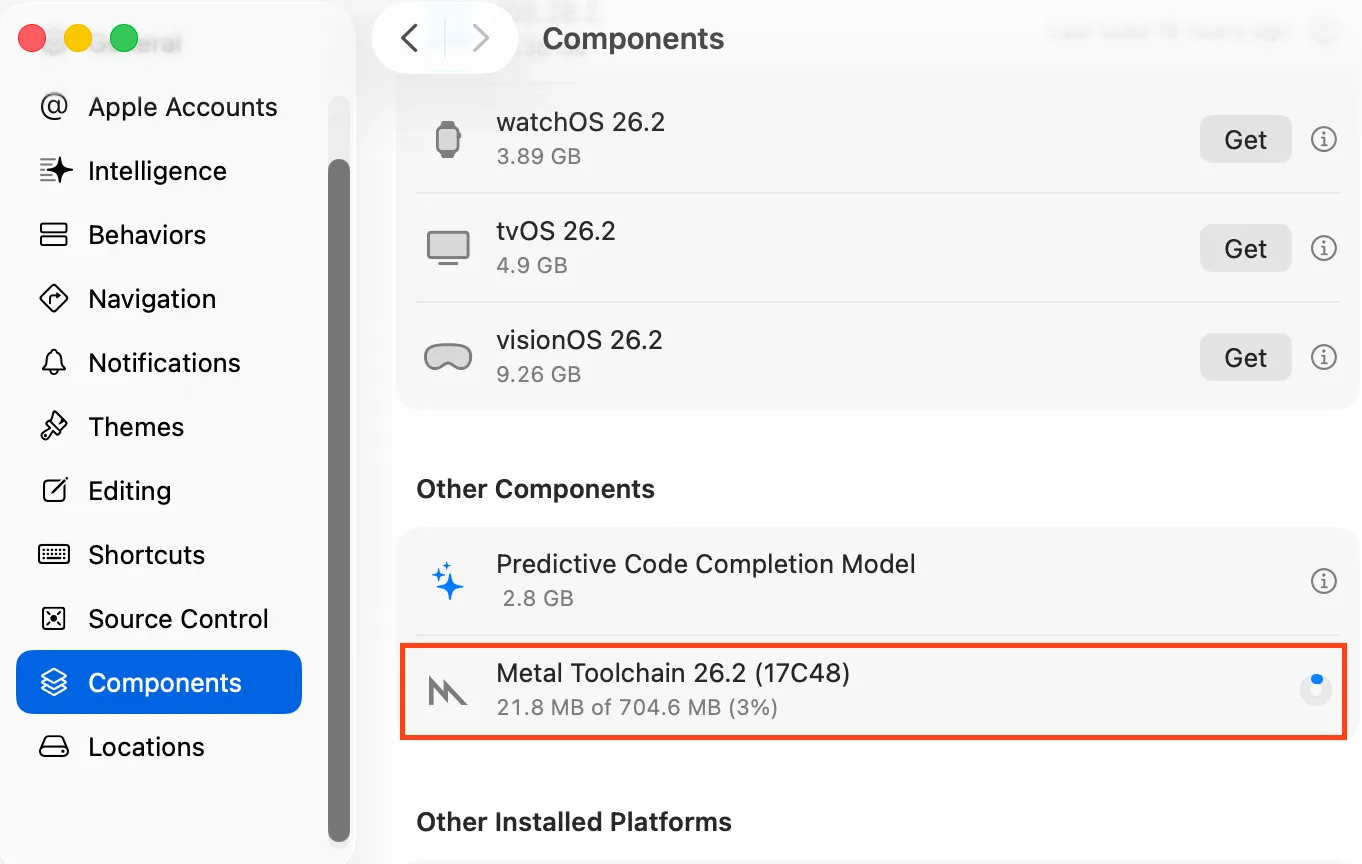
The exact 26.x.x number depends on your Xcode version.
Step 2: Wait for download to finish
When done, you should see a checkmark or completion indicator next to Metal Toolchain.
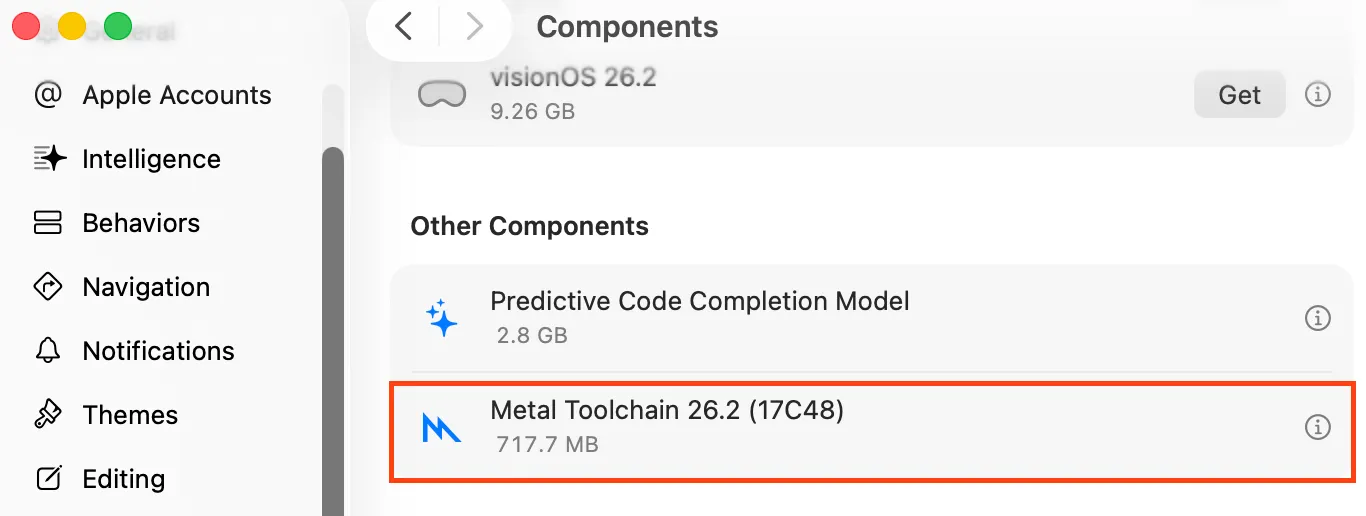
Step 3: Launch UE5 again
- Quit Xcode
- Start the Unreal Editor
- The Metal Compiler error should be gone
On my machine I didn’t need to reboot macOS or UE5 — closing Xcode and launching the editor from the Epic Launcher was enough.
Links
- Stack Overflow: Xcode 26 Metal compiler error MetalToolchain
- Hatena blog (similar write-up, in Japanese)