One day, running git pull suddenly showed:
You have not agreed to the Xcode and Apple SDKs license. You must agree to the license below in order to use Xcode.
Press enter to display the license:
Felt familiar. Here’s what’s going on and how to fix it — including the full Xcode vs Command Line Tools difference that trips people up when xcodebuild fails.
Official terms for that agreement name: Xcode and Apple SDKs Agreement (linked from Apple’s Agreements and Guidelines; PDF last-modified 2024-12-10 on Apple’s CDN when checked 2026-07-19).
What’s happening?
Apple ships developer tooling (including a git entry point tied to that toolchain) with Xcode and/or the separate Command Line Tools for Xcode package. Until the Xcode and Apple SDKs license is accepted for the active toolchain, some commands stop and print the prompt above instead of running.
Apple’s docs (checked 2026-07-19):
- Installing the command-line tools — CLT package installs under
/Library/Developer/CommandLineTools; on a fresh macOS, invoking tools such asgitcan prompt you to install that package. - Xcode command-line tool reference — tools such as
xcodebuildship only with the Xcode app, not with the CLT package. - Configuring command-line tools settings —
xcode-select --print-pathshows the active developer directory; switch withsudo xcode-select --switch <path>.
When it shows up
- Right after installing or updating Xcode / Command Line Tools
- After a macOS or Xcode update when a newer license has not been accepted yet
- The first time you actually hit Apple’s
git(or another gated tool) after never having accepted
Full Xcode vs Command Line Tools vs another git
| Setup | What Apple documents | Practical effect for this prompt |
|---|---|---|
| Xcode.app selected as active developer directory | Typical path: /Applications/Xcode.app/Contents/Developer (xcode-select --print-path) | sudo xcodebuild -license is the path Apple’s tooling expects for agreeing from Terminal |
| Command Line Tools package selected | Path: /Library/Developer/CommandLineTools (same doc); package install overview in Installing the command-line tools | xcodebuild is not in the CLT package (command-line tool reference). If CLT is active, xcodebuild -license can fail until you point xcode-select at Xcode.app (or accept via opening Xcode’s GUI license flow) |
Non-Apple git (e.g. Homebrew’s git earlier on your PATH) | Outside Apple’s CLT/Xcode package docs | You may be using a different binary than /usr/bin/git. Check with which git / type -a git before assuming this license prompt applies |
Check the active developer directory first:
xcode-select -p
# same as:
xcode-select --print-path
Examples Apple documents:
- Xcode selected:
/Applications/Xcode.app/Contents/Developer - CLT selected:
/Library/Developer/CommandLineTools
If you need Xcode’s xcodebuild and currently have CLT selected:
sudo xcode-select --switch /Applications/Xcode.app/Contents/Developer(Adjust the app path if Xcode lives somewhere else; Apple notes nonstandard locations in the same settings doc.)
How to fix it
Option 1: Accept interactively (recommended)
With Xcode as the active developer directory:
sudo xcodebuild -license- Enter your password
- Press Enter to scroll the license
- Press Space to reach the end
- Type
agreeand press Enter (screenshot is before agreeing)
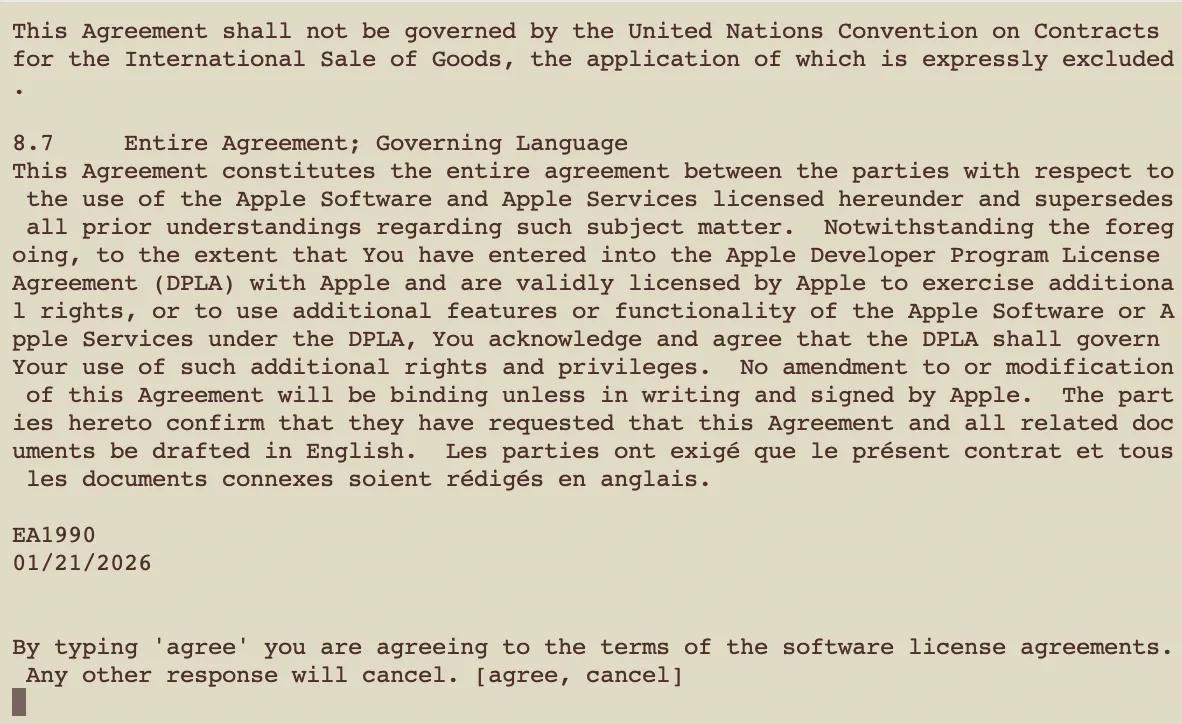
After a successful accept, Apple’s git should stop showing that license prompt for the agreed terms. If a later Xcode/CLT update ships a new agreement, the prompt can return.
Option 2: Accept in one shot (if you don’t read the text)
sudo xcodebuild -license acceptSame prerequisite: active developer directory must resolve to an Xcode.app that provides xcodebuild.
If xcodebuild says it requires Xcode
That matches Apple’s statement that xcodebuild only ships with Xcode, not the CLT package. Switch the active directory to Xcode.app (command above), or open Xcode once and complete any on-screen license agreement, then retry.
Summary
The sudden git block was the Xcode and Apple SDKs license gate on Apple’s toolchain — not a broken remote. Accept with sudo xcodebuild -license (or -license accept) after confirming xcode-select -p points at Xcode when you need xcodebuild.
That’s it.
Related posts
- Mac / Xcode troubleshooting hub: errors I actually hit
- Fix Xcode Metal Compiler error — download Metal Toolchain