I do most of my work on a MacBook — iOS apps with Expo, games with UE5, and plenty of Xcode in between.
The same errors and annoyances keep showing up: builds failing, git blocked by a license prompt, everyday macOS glitches, the Simulator preventing shutdown when I close the lid. This page is a symptom → article index for the notes I wrote after actually getting stuck.
It is not a full Mac/Xcode encyclopedia. If nothing below matches your exact message, start from Apple’s docs for your tool rather than forcing a link here.
How to pick a row
Match the error string or behavior first. Titles alone are easy to mix up.
| If you see / feel this | Go here first | Not the same as |
|---|---|---|
missing Metal Toolchain / cannot execute tool 'metal during a UE5 (or other Metal) build | Metal Toolchain | Xcode license prompt |
You have not agreed to the Xcode and Apple SDKs license when running git | Xcode license + git | Metal download / Sidecar |
Artifact storage quota has been hit on GitHub Actions | GHA artifact storage | Local Xcode build errors |
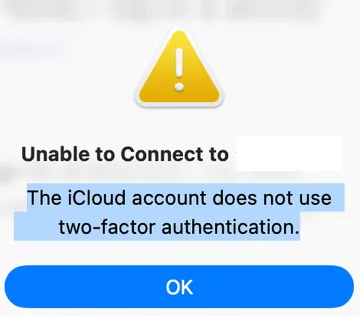
Sidecar: The iCloud account does not use two-factor authentication | Sidecar iCloud 2FA | Xcode license |
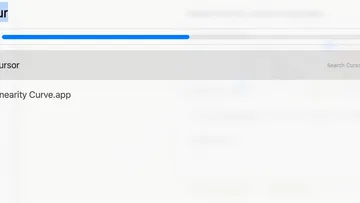
| Installed apps missing from Spotlight (Apps category) | Spotlight apps missing | Finder / Launchpad only |
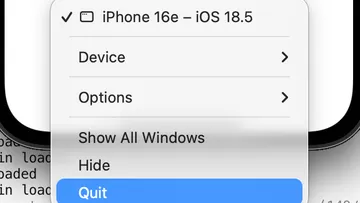
| MacBook won’t shut down or close the lid while Simulator is open | Simulator + lid | Generic sleep / power issues |
Common mix-ups I see in search:
- License vs Metal — license text talks about agreeing to terms; Metal text talks about a missing toolchain component.
- License vs Sidecar — Sidecar’s 2FA / iCloud wording is about Continuity accounts, not
xcodebuild -license. - Simulator vs “Mac won’t sleep” in general — the note below is specifically about iOS Simulator still running.
Scope
- Links below are English posts that are already published on this site.
- Each linked article is a short field note from my setup, not an official Apple support article.
- I do not re-paste full fix steps on this hub page — open the matching post.
Official starting points when you need Apple’s wording:
- Installing the command-line tools (Apple Developer Documentation, checked 2026-07-19)
- Configuring command-line tools settings (
xcode-select, active developer directory) - Use Sidecar on your Mac (Apple Support)
Xcode & build errors
| Symptom / error cue | Article |
|---|---|
UE5 (or Metal) build: Xcode Metal Compiler error / missing Metal Toolchain | Fix Xcode Metal Compiler error on Mac (UE5) |
git pull (or other git) shows You have not agreed to the Xcode and Apple SDKs license | What “You have not agreed to the Xcode license” means |
GitHub Actions: Artifact storage quota has been hit | GitHub Actions Artifact Storage Quota Hit |
Everyday Mac issues
| Symptom / error cue | Article |
|---|---|
| Sidecar fails with iCloud / two-factor authentication wording | Sidecar Not Connecting — iCloud 2FA error fix |
| Apps installed under Applications do not appear in Spotlight’s Apps results | Fixed: Apps Not Showing Up in Mac Spotlight Search |
iOS dev quirks
| Symptom / error cue | Article |
|---|---|
| MacBook won’t shut down or close the lid while the iOS Simulator is open | Can’t Shut Down Your MacBook? The Culprit Was the iOS Simulator |