For a while, something about Spotlight search had been bothering me.
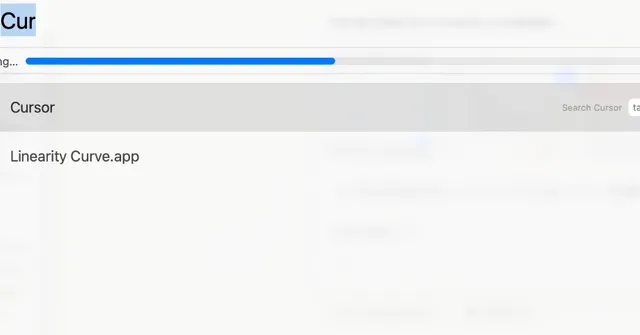
When I searched for apps like Cursor or Chrome under Apps, they simply did not show up.
Built-in apps and ChatGPT came up fine, but a bunch of installed apps never appeared.
I looked into it and think I fixed it, so I am writing down what I did.
What was going wrong
Opening Spotlight and typing Cur or Ch did not surface Cursor or Chrome.
The apps were definitely installed, yet only some of them were missing from search results.
They were right there in Applications, which made it even stranger.
What I tried
1. Check search categories
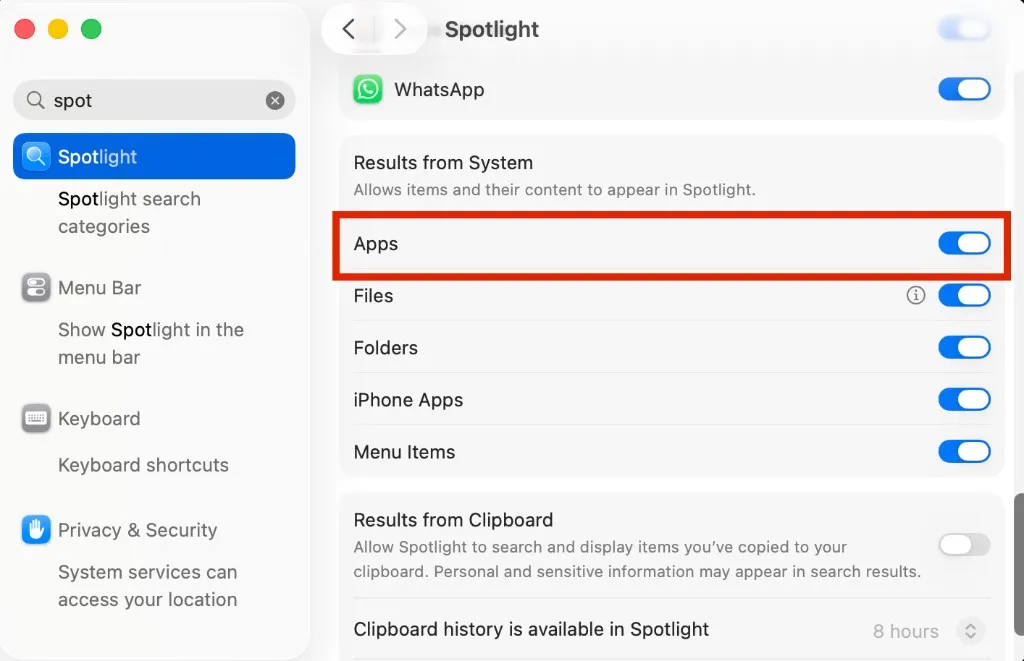
First, open System Settings → Spotlight and review the search categories.
Toggle categories such as Apps on and off to see if anything changes.
2. Reset search history and quick keys
Scroll to the top of the same Spotlight settings screen.
You will see buttons labeled Delete Search History… and Reset Quick Keys….
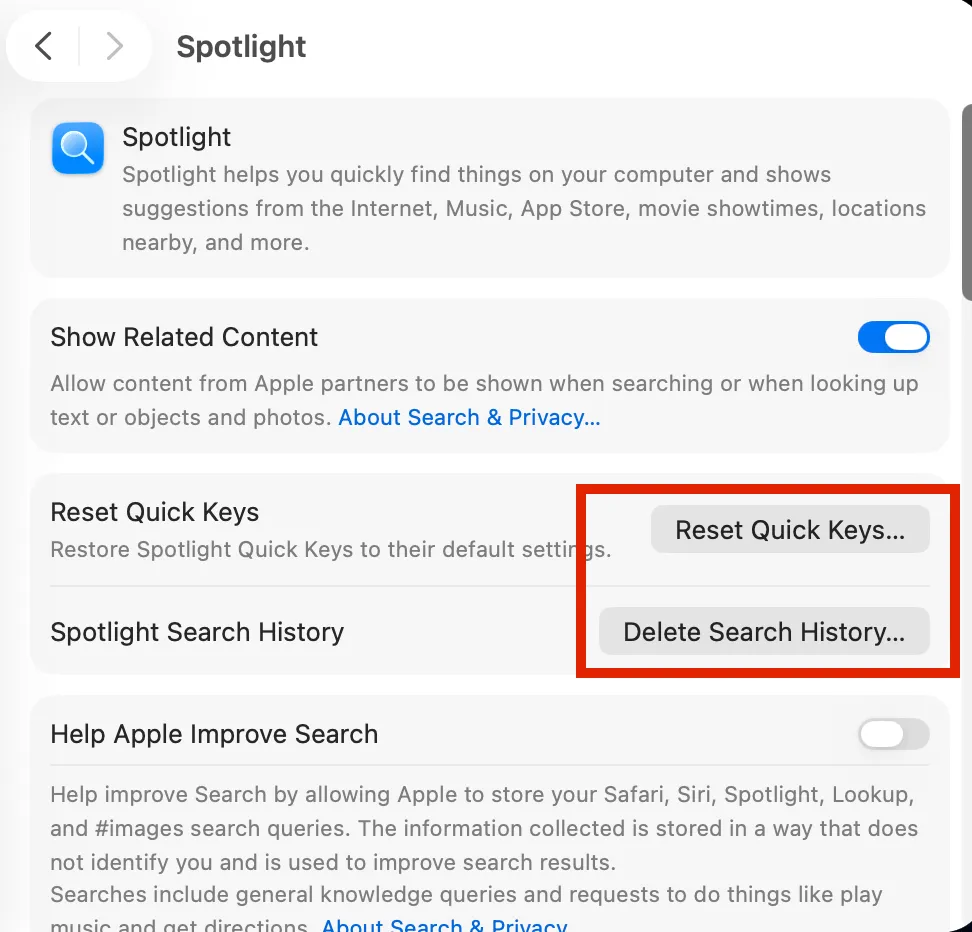
I cleared search history and reset quick keys.
3. Check Search Privacy
Next, click Search Privacy… in the lower-right corner of the same screen.
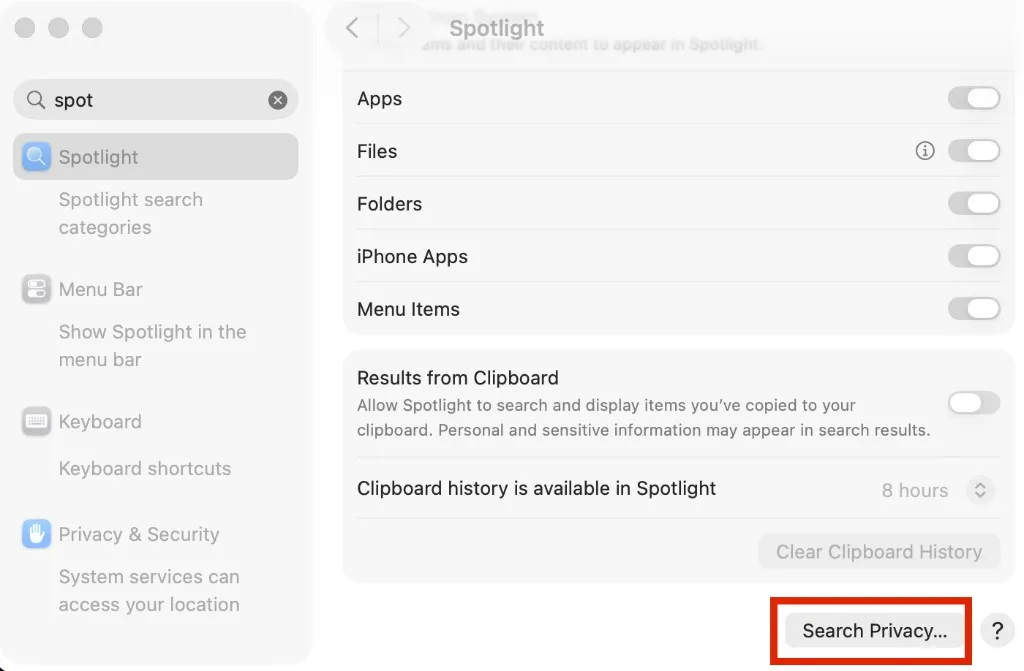
Adding a folder here excludes its contents from Spotlight search.
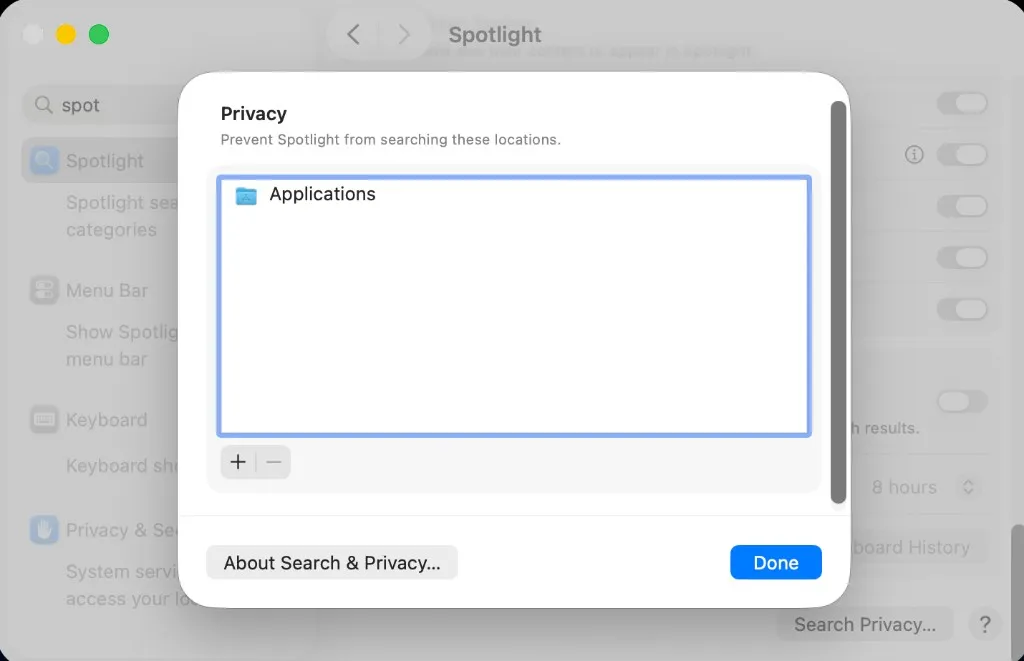
I added the Applications folder.
Then I closed the dialog,
opened it again, and removed the folder.
After that, I restarted the Mac, and search started working properly again.
(A restart really does fix a lot of things.)
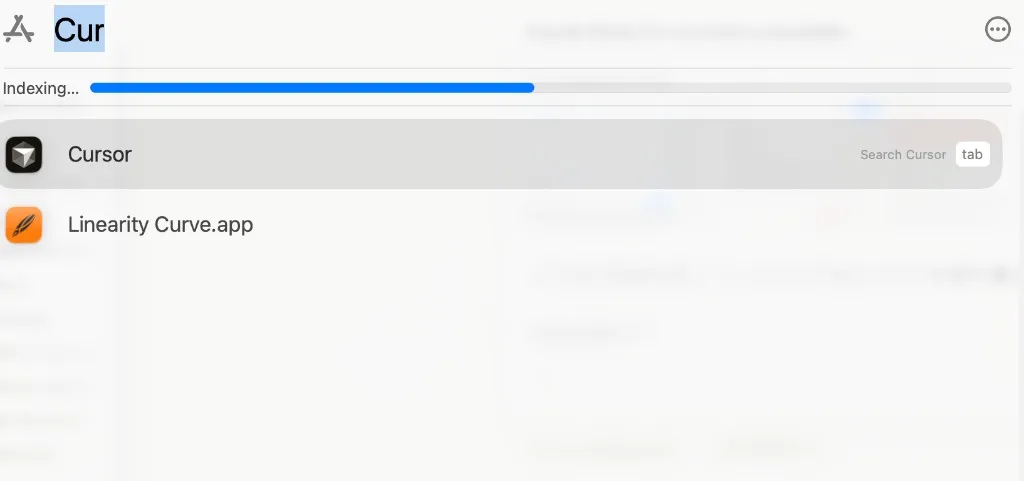
4. Still not working: rebuild the Spotlight index
If none of the above helps, the Spotlight index itself may be corrupted. You can force a rebuild from the terminal:
sudo mdutil -E /-E erases and rebuilds the index for the volume. Re-indexing takes a while depending on how much is on the disk and how many apps you have installed.
In my case, step 3 plus a restart fixed it — but if that doesn’t work for you, try this next.
Wrap-up
I found several reports of the same symptoms online, and the fix seems to vary case by case—I am honestly not sure which step was the real solution.
If you are stuck with the same issue, I hope this helps.