One day, running git pull suddenly showed:
You have not agreed to the Xcode and Apple SDKs license. You must agree to the license below in order to use Xcode.
Press enter to display the license:
Felt familiar. Here’s what’s going on and how to fix it.
What’s happening?
-
The git that ships with macOS comes from Xcode / Command Line Tools.
Apple’s toolchain requires you to accept the Xcode and Apple SDKs license before use. -
When it shows up
- Right after installing or updating Xcode / CLT
- After a macOS or Xcode update when a new license hasn’t been accepted
- The first time you actually hit git after never having accepted
How to fix it
Option 1: Accept interactively (recommended)
sudo xcodebuild -license- Enter your password
- Press Enter to scroll the license
- Press Space to reach the end
- Type
agreeand press Enter (screenshot is before agreeing)
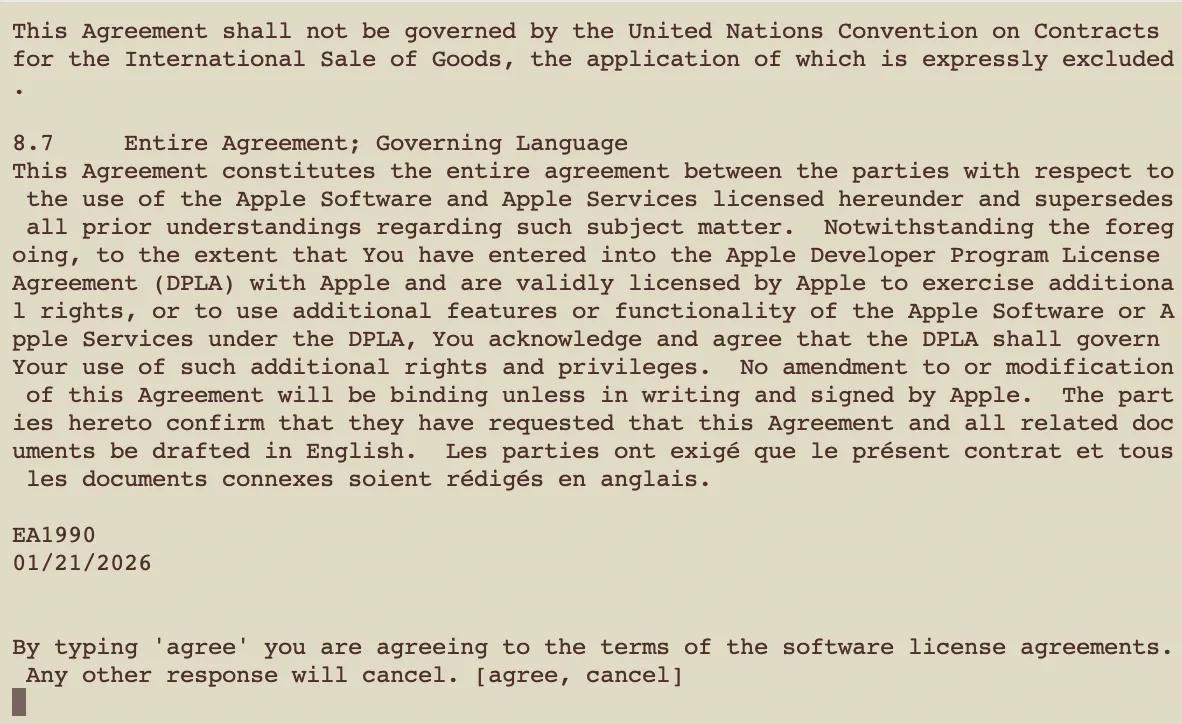
After that, git works normally again.
Option 2: Accept in one shot (if you don’t read the text)
sudo xcodebuild -license acceptSummary
It popped up out of nowhere — same kind of thing as before. Now it’s documented in one place.
That’s it.